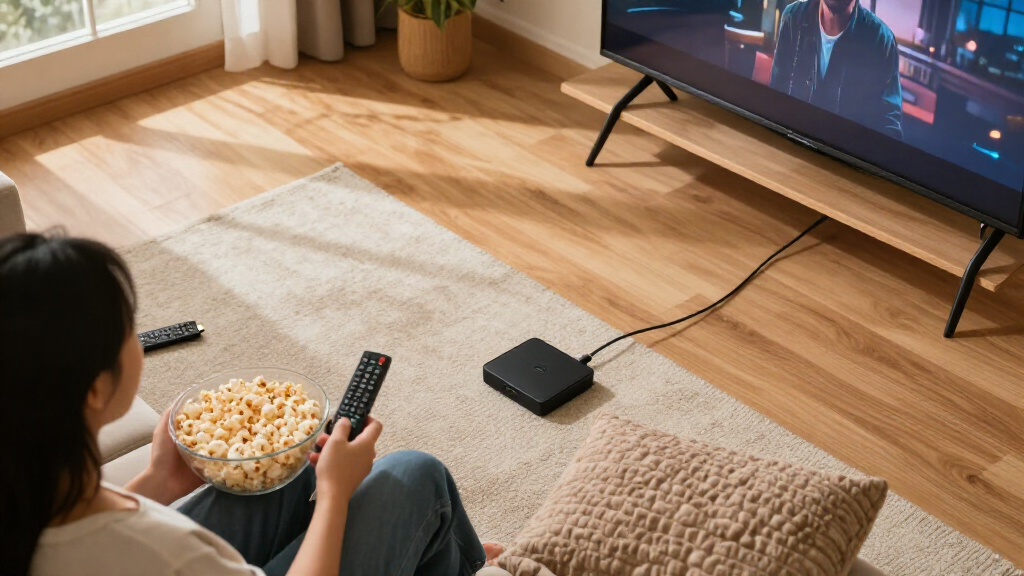

Choosing the right movie streaming devices determines whether you get a cinematic experience or a frustrating buffer screen. The NVIDIA SHIELD TV Pro stands out as the best overall pick for its unmatched processing power and superior upscaling of lower-resolution content. For those seeking a balance of price and performance, the Amazon Fire TV Stick 4K Plus offers excellent 4K HDR support without the premium price tag. Readers must weigh video quality against smart home integration and interface speed when selecting a device. Continue reading to see how these fifteen options stack up against each other for your specific viewing habits.

Get movie nights delivered free with Prime
- Fast, free delivery on millions of items
- Prime Video, Amazon Music and more included
- Member-only deals all year
Key Takeaways
- Processing power directly impacts interface fluidity and app load times, making the NVIDIA SHIELD TV Pro distinct from budget sticks.
- Support for advanced audio formats like Dolby Atmos is unevenly distributed, with premium models offering better immersion than entry-level sticks.
- Ecosystem lock-in is a real factor, as Alexa-centric devices handle smart home controls differently than Google TV or Roku interfaces.
- Wi-Fi 6 support is becoming a standard differentiator, providing more stable streaming in congested household networks compared to older Wi-Fi 5 models.
- Storage capacity matters for offline viewing and app installation, with 32GB models offering more flexibility than 8GB or 16GB alternatives.
| NVIDIA SHIELD TV Pro 4K HDR Streaming Media Player |  | Best for Home Theater and Media Libraries | Processor: NVIDIA Tegra X1+ | Memory: 3 GB RAM | Storage: 16 GB | VIEW LATEST PRICE | See Our Full Breakdown |
| TiVo Stream 4K Streaming Media Player with Android TV, Dolby Vision HDR and Dolby Atmos |  | Best for Unified App Search | Operating system: Android TV | Form factor: TV stick | Resolution: 4K | VIEW LATEST PRICE | See Our Full Breakdown |
| Amazon Fire TV Stick 4K Select with Alexa Voice Remote |  | Best for Alexa Households | Processor: Quad-core 1.7 GHz | Storage: 8 GB | Maximum resolution: 2160p at up to 60 fps | VIEW LATEST PRICE | See Our Full Breakdown |
| Google Chromecast with Google TV 4K HDR Streaming Media Player with Voice Remote, Pouch, and Cleaning Cloth (Snow) |  | Best for Phone Casting | Resolution: 4K; 3840 × 2160 pixels | Connectivity: Wi-Fi and Bluetooth | Connector: HDMI | VIEW LATEST PRICE | See Our Full Breakdown |
| Google TV Streamer (4K), 32 GB, Porcelain |  | Best Premium Google TV Upgrade | Storage: 32 GB | Memory: 4 GB RAM | Video output: 3840 × 2160 | VIEW LATEST PRICE | See Our Full Breakdown |
| Amazon Fire TV Cube (3rd Gen) 4K Streaming Media Player with Alexa |  | Best for Hands-Free Voice Control | Generation: 3rd Gen | Processor: Octa-core: 4 × 2.2 GHz and 4 × 2.0 GHz | Memory and storage: 2 GB RAM; 16 GB internal storage | VIEW LATEST PRICE | See Our Full Breakdown |
| Google TV Streamer 4K with Voice Remote, 32 GB Storage, Hazel |  | Best for Google TV and App Storage | Model: Google TV Streamer (4K) | Resolution: 3840 × 2160 | HDR: Dolby Vision | VIEW LATEST PRICE | See Our Full Breakdown |
| Roku Streaming Stick HD with Voice Remote |  | Best Compact HD Pick | Model: 3840R | Resolution: 1080p (1920 × 1080) | Connectivity: Wi-Fi and Bluetooth | VIEW LATEST PRICE | See Our Full Breakdown |
| Roku Streaming Stick Plus 4K HDR10+ Streaming Device with Voice Remote |  | Best Compact Roku for 4K | Model: 3830R | Resolution: 4K | HDR support: HDR10, HDR10+ | VIEW LATEST PRICE | See Our Full Breakdown |
| onn 4K UHD Android TV Streaming Device with Voice Remote and HDMI Cable |  | Best for Casting and Easy Setup | Model number: 100026240 | Resolution: 4K UHD (3840 × 2160) | Operating system: Android TV | VIEW LATEST PRICE | See Our Full Breakdown |
| KICKPI KP1 Google-Certified Android TV Box, 4K, 2GB RAM, 16GB Storage, Voice Remote, Chromecast Built-In, White |  | Best for Google TV Features and Expandable Storage | Operating system: Android TV 14 | Processor: Amlogic S905Y4 quad-core Cortex-A35 | RAM: 2 GB | VIEW LATEST PRICE | See Our Full Breakdown |
| Amazon Fire TV Stick 4K with Alexa+ and Wi-Fi 6 |  | Best for Simple 4K Setup | Resolution: 4K | HDR: HDR10+ | Connectivity: Wi-Fi 6, Bluetooth | VIEW LATEST PRICE | See Our Full Breakdown |
| Amazon Fire TV Stick HD with Alexa Voice Remote |  | Best for Full HD TVs | Resolution: Full HD | Wireless connectivity: Wi-Fi 6 | Connection: HDMI | VIEW LATEST PRICE | See Our Full Breakdown |
| Amazon Fire TV Stick 4K Plus with Alexa Voice Remote |  | Best for Dolby Vision and Atmos on a Stick | Resolution: Up to 2160p at up to 60 fps | HDR formats: Dolby Vision, HDR10, HDR10+, HLG | Audio: Dolby Atmos, 7.1 surround sound, stereo, HDMI audio pass-through | VIEW LATEST PRICE | See Our Full Breakdown |
| Roku Ultra 4K Streaming Player with Voice Remote Pro |  | Best Premium Roku Experience | Video resolution: 4K (3840 × 2160) | Video formats: HDR10/10+, Dolby Vision | Audio: Dolby Atmos | VIEW LATEST PRICE | See Our Full Breakdown |
| movie streaming device | Connectivity | Resolution |
|---|---|---|
| NVIDIA SHIELD TV Pro 4K HDR St | Gigabit Ethernet, dual-band AC Wi-Fi, Bluetooth 5.0 | — |
| TiVo Stream 4K Streaming Media | Wi-Fi | 4K |
| Amazon Fire TV Stick 4K Select | — | — |
| Google Chromecast with Google | Wi-Fi and Bluetooth | 4K; 3840 × 2160 pixels |
| Google TV Streamer | Ethernet and Wi-Fi | — |
| Amazon Fire TV Cube | — | — |
| Google TV Streamer 4K with Voi | Wi-Fi and Ethernet | 3840 × 2160 |
| Roku Streaming Stick HD with V | Wi-Fi and Bluetooth | 1080p (1920 × 1080) |
| Roku Streaming Stick Plus 4K H | Wi-Fi and Bluetooth | 4K |
| onn 4K UHD Android TV Streamin | HDMI and Wi-Fi | 4K UHD (3840 × 2160) |
| KICKPI KP1 Google-Certified An | Wi-Fi, Bluetooth, Ethernet, HDMI | — |
| Amazon Fire TV Stick 4K with A | Wi-Fi 6, Bluetooth | 4K |
| Amazon Fire TV Stick HD with A | — | Full HD |
| Amazon Fire TV Stick 4K Plus w | — | Up to 2160p at up to 60 fps |
| Roku Ultra 4K Streaming Player | Wi-Fi 6, Ethernet, Bluetooth, HDMI, USB | — |
More Details on Our Top Picks
NVIDIA SHIELD TV Pro 4K HDR Streaming Media Player
The NVIDIA SHIELD TV Pro is the most capable pick here for a movie setup that goes beyond opening streaming apps. Its Dolby Vision and Dolby Atmos support suit compatible home theater gear, while AI upscaling can make HD video look sharper on a 4K screen. Compared with the Google TV Streamer (4K), 32 GB, the SHIELD has less built-in storage but adds two USB ports and a built-in Plex Media Server, a useful combination for people managing local media or peripherals. Gigabit Ethernet also gives it a wired-network option that the listed stick-style devices lack. The tradeoff is a more specialized, box-style device with only 16 GB of storage; buyers who just want straightforward app streaming may get more than they need. A game controller is not included.
Pros:- Supports 4K HDR, Dolby Vision, and Dolby Atmos for compatible TVs and audio systems
- AI upscaling can improve the appearance of HD video on a 4K display
- Two USB 3.0 ports allow storage and peripheral expansion
- Built-in Plex Media Server, Chromecast 4K, and Gigabit Ethernet add flexibility
Cons:- 16 GB of internal storage is limited for apps and media
- Game controller is sold separately
- Its extra media-server and port features may be unnecessary for basic app streaming
Best for: Home theater owners who want Dolby Vision and Atmos, wired networking, and Plex support for a personal movie library
Not ideal for: Viewers who only need a compact device for mainstream streaming apps and do not plan to use Plex, USB peripherals, or Ethernet
- Processor:NVIDIA Tegra X1+
- Memory:3 GB RAM
- Storage:16 GB
- Video:4K HDR, Dolby Vision, AI upscaling
- Audio:Dolby Atmos, Dolby Digital Plus
- Ports:2 × USB 3.0
- Connectivity:Gigabit Ethernet, dual-band AC Wi-Fi, Bluetooth 5.0
- Media and casting:Plex Media Server and Chromecast 4K built in
Our verdict“Choose the SHIELD TV Pro if your movie setup includes local media, home theater equipment, or USB accessories; choose a simpler streamer if you only need apps.”
TiVo Stream 4K Streaming Media Player with Android TV, Dolby Vision HDR and Dolby Atmos
The TiVo Stream 4K is a good fit for viewers who spend too much time deciding what to watch across separate apps. Its cross-app search, browsing, and watch lists bring discovery into one interface, while Android TV provides access to streaming services and Google Assistant voice control. It shares 4K, Dolby Vision HDR, and Dolby Atmos support with the Google Chromecast with Google TV 4K, but TiVo’s strongest distinction is its focus on combining app discovery with live-TV browsing. The compact HDMI stick is easy to tuck behind a television, though it depends on Wi-Fi and has only 8 GB of storage and 2 GB of RAM. Compared with the newer Google TV Streamer (4K), 32 GB, it offers far less memory and storage, making it a less suitable choice for viewers who want room for a larger app collection.
Pros:- Combines app search, browsing, and watch lists in one interface
- Supports 4K video, Dolby Vision HDR, and Dolby Atmos
- Google Assistant supports voice search and compatible smart-home commands
- Compact HDMI-stick design keeps the player close to the television
Cons:- Requires Wi-Fi and an HDMI connection
- 8 GB storage and 2 GB RAM limit room for apps and flexibility
- Does not offer the listed Ethernet or USB expansion of the NVIDIA SHIELD TV Pro
Best for: Viewers who use several streaming apps and want cross-service search and watch lists on a compact Android TV stick
Not ideal for: People who need wired networking, substantial app storage, or a device with more memory for a heavily customized setup
- Operating system:Android TV
- Form factor:TV stick
- Resolution:4K
- HDR and audio:Dolby Vision HDR and Dolby Atmos
- Memory:2 GB RAM
- Storage:8 GB
- Connectivity:Wi-Fi
- Voice assistant:Google Assistant
Our verdict“Pick the TiVo Stream 4K if cross-app discovery matters more than storage or wired connections.”
Amazon Fire TV Stick 4K Select with Alexa Voice Remote
The Amazon Fire TV Stick 4K Select makes sense for movie watchers already using Alexa, especially if they want voice search and compatible smart-home controls from the same remote. It handles 4K playback with HDR10+, HDR10, and HLG, and its small stick format keeps the installation simple: HDMI for the TV and Wi-Fi for streaming. Unlike the Google Chromecast with Google TV 4K, this model is centered on Amazon’s Fire TV and Alexa experience rather than Google’s casting and recommendation approach. Its listed video formats include AV1, and cloud gaming is available through Xbox Game Pass and Luna, though those services and a compatible controller may be needed. The tradeoffs are 8 GB of storage, reliance on Wi-Fi, and no listed Dolby Vision support; movie fans with Dolby Vision displays may prefer the TiVo Stream 4K or Google TV options.
Pros:- Streams up to 4K at 60 fps with HDR10+, HDR10, and HLG
- Included Alexa Voice Remote supports voice search and compatible smart-home controls
- Dual-band Wi-Fi with MIMO and Bluetooth 5.0
- Supports AV1 video and cloud gaming through Xbox Game Pass and Luna
Cons:- 8 GB of internal storage limits space for apps
- No Dolby Vision support is listed, unlike the TiVo Stream 4K
- Streaming depends on Wi-Fi and an internet connection; cloud gaming may require a separate subscription and controller
Best for: Alexa users who want a compact 4K streamer with HDR10+ support and voice control for content and compatible smart-home devices
Not ideal for: Movie viewers who specifically want Dolby Vision, wired networking, or a player suited to a large locally stored media collection
- Processor:Quad-core 1.7 GHz
- Storage:8 GB
- Maximum resolution:2160p at up to 60 fps
- Video formats:HDR10, HDR10+, HLG, H.265, H.264, VP9, AV1
- Wi-Fi:Dual-band, dual-antenna MIMO; 802.11a/b/g/n/ac
- Bluetooth:Bluetooth 5.0 and Bluetooth Low Energy
- Voice support:Alexa Voice Remote included; Fire TV app also supported
- Ports:HDMI output and micro-USB for power
Our verdict“Choose this Fire TV Stick if Alexa and HDR10+ suit your setup, but look at the TiVo or Google options if Dolby Vision is a priority.”
Google Chromecast with Google TV 4K HDR Streaming Media Player with Voice Remote, Pouch, and Cleaning Cloth (Snow)
The Google Chromecast with Google TV 4K suits viewers who want both a conventional remote-led interface and the option to send video from a phone or tablet. Its Google TV home screen brings recommendations from supported services together, so it can make browsing feel less tied to any one app. Compared with the TiVo Stream 4K, it leans more clearly into casting and Google TV recommendations, while both offer 4K, Dolby Vision HDR, and Dolby Atmos. It is also simpler than the Google TV Streamer (4K), 32 GB, which has more memory and storage for people who want a roomier device. This Chromecast requires Wi-Fi and an HDMI port, and 4K depends on compatible content and a compatible display. The included pouch and cleaning cloth add little to movie playback, so the main reason to choose it is its viewing interface and casting support.
Pros:- Supports 4K streaming and HDR playback
- Voice remote supports content search and playback control
- Google TV recommendations bring content from supported services together
- Supports casting from a phone or tablet
Cons:- Requires Wi-Fi and a television with an HDMI port
- 4K playback requires compatible content and a compatible display
- Does not list the 32 GB storage or 4 GB RAM found in the Google TV Streamer (4K)
Best for: Google users who want a voice remote, personalized Google TV recommendations, and the ability to cast movies from a phone or tablet
Not ideal for: Viewers who want Ethernet, larger internal storage, or a clear hardware upgrade over a basic streaming stick
- Resolution:4K; 3840 × 2160 pixels
- Connectivity:Wi-Fi and Bluetooth
- Connector:HDMI
- Control:Remote control and voice control
- Supported services:Amazon Instant Video, Google TV, Hulu, Netflix, YouTube
- Video codec:H.264
- Included components:Chromecast, voice remote, 2 AAA batteries, power adapter, USB-C power cable, pouch, cleaning cloth
Our verdict“Choose this Chromecast if you value Google TV discovery and phone casting more than the extra capacity of the newer Google TV Streamer.”
Google TV Streamer (4K), 32 GB, Porcelain
The Google TV Streamer (4K) is the strongest fit here for buyers who want a more capable Google TV device, not just a basic HDMI stick. Its 4 GB of RAM and 32 GB of storage give it more room for apps than the Chromecast with Google TV 4K and the TiVo Stream 4K, while Ethernet provides a wired connection option for a home theater near a router. Dolby Vision support suits compatible 4K displays, and the voice remote makes searching and playback control straightforward. Compared with the NVIDIA SHIELD TV Pro, it has less emphasis on local media-server use and USB expansion; the SHIELD includes Plex Media Server and two USB ports. The main setup catch is that an HDMI 2.1 cable is required but not included. This is a better match for an upgraded Google TV setup than for buyers seeking the simplest stick.
Pros:- 32 GB of storage and 4 GB of RAM provide more capacity than the listed TiVo and Chromecast devices
- Supports 4K HDR with Dolby Vision
- Ethernet and Wi-Fi offer wired and wireless network options
- Voice remote supports voice search and control
Cons:- HDMI 2.1 cable is required but sold separately
- Does not list the USB ports or built-in Plex Media Server found on the NVIDIA SHIELD TV Pro
- Dolby Atmos requires compatible speakers
Best for: Google TV viewers who want more app storage, additional memory, Ethernet, and Dolby Vision in a living-room streamer
Not ideal for: Buyers who want an HDMI cable included, need USB expansion or a built-in Plex Media Server, or only need a basic streaming stick
- Storage:32 GB
- Memory:4 GB RAM
- Video output:3840 × 2160
- HDR:4K HDR with Dolby Vision
- Connectivity:Ethernet and Wi-Fi
- Video codec:H.265
- Included items:Streamer, power adapter, 1.8 m power cable, quick start guide, voice remote, 2 AAA batteries
- Warranty:1 year
Our verdict“Pick the Google TV Streamer if you want extra app capacity and Ethernet in a Google TV setup, and are prepared to supply an HDMI 2.1 cable.”
Amazon Fire TV Cube (3rd Gen) 4K Streaming Media Player with Alexa
The Fire TV Cube suits a movie setup where voice control and device connections matter as much as the picture. Its hands-free Alexa can operate compatible TVs, soundbars, and other devices without requiring you to pick up the remote, while HDMI input and output give it more connection options than the stick-style Roku models here. The octa-core processor and Wi-Fi 6E are aimed at responsive use, though Wi-Fi 6E benefits depend on a compatible router and network setup. Picture and sound support includes 4K, Dolby Vision, HDR formats, and Dolby Atmos, but your TV, audio gear, and chosen content must support those formats. Compared with the Google TV Streamer, the Cube emphasizes Alexa and hardware integration over Google TV’s larger listed storage. Its larger, separate box is less discreet than a stick, and some services require subscriptions.
Pros:- Hands-free Alexa can control compatible TVs, soundbars, receivers, and smart-home devices.
- Supports 4K output, Dolby Vision, multiple HDR formats, and Dolby Atmos.
- HDMI input and output, USB-A, and Ethernet provide more connection options than the Roku sticks.
- Octa-core processor is specified as twice as powerful as the Fire TV Stick 4K Max.
Cons:- Wi-Fi 6E benefits require a compatible router and suitable 6 GHz network configuration.
- Its separate box is larger and less discreet than compact HDMI sticks.
- 4K and HDR playback depend on compatible equipment and content; some services require separate subscriptions.
Best for: Movie watchers building an Alexa-centered TV setup who want hands-free control and connections for compatible audio or video equipment.
Not ideal for: People who want a discreet, TV-powered stick, or households without compatible 4K equipment or a Wi-Fi 6E network that can make use of its newer wireless capability.
- Generation:3rd Gen
- Processor:Octa-core: 4 × 2.2 GHz and 4 × 2.0 GHz
- Memory and storage:2 GB RAM; 16 GB internal storage
- Maximum resolution:2160p at up to 60 fps
- Video formats:Dolby Vision, HDR 10, HDR10+, HLG, H.265, H.264, VP9, AV1
- Audio support:Dolby Atmos, 7.1 surround sound, stereo, HDMI passthrough up to 5.1
- Wireless:Tri-band Wi-Fi 6E; Bluetooth 5.0 + LE
- Ports:HDMI 2.1 input and output, USB-A 2.0, 10/100 Mbps Ethernet, IR extender
- Dimensions and weight:3.38 × 3.38 × 2.99 in; 513 g
Our verdict“Choose the Fire TV Cube if hands-free Alexa and flexible connections matter more than a compact, TV-powered design.”
Google TV Streamer 4K with Voice Remote, 32 GB Storage, Hazel
The Google TV Streamer 4K is the strongest fit here for viewers who want Google TV’s content organization and room for apps. Its 32 GB of storage and 4 GB of RAM exceed the listed memory and storage of the onn Android TV device, giving this model more capacity for a larger app collection. Google TV groups supported services and offers personalized recommendations, while the voice remote handles search and smart-home controls. It supports 4K HDR with Dolby Vision and includes Ethernet as well as Wi-Fi, a useful option for a wired TV location. The tradeoff is practical: an HDMI 2.1 cable is required but not included, unlike the onn device’s included HDMI cable. Buyers seeking hands-free Alexa and extra HDMI connections may prefer the Fire TV Cube instead.
Pros:- 32 GB storage and 4 GB RAM offer more listed capacity than the onn Android TV device.
- Google TV organizes supported streaming services and provides personalized recommendations.
- Supports 4K HDR with Dolby Vision.
- Includes both Wi-Fi and Ethernet connectivity.
Cons:- An HDMI 2.1 cable is required but sold separately.
- Unlike the Fire TV Cube, it does not list hands-free Alexa or HDMI input and output.
Best for: Google TV households that install several streaming apps, want voice search and smart-home controls, and can connect their TV by Wi-Fi or Ethernet.
Not ideal for: Buyers who want everything needed for HDMI connection in the box, or who prefer Alexa’s hands-free device control.
- Model:Google TV Streamer (4K)
- Resolution:3840 × 2160
- HDR:Dolby Vision
- Storage and memory:32 GB storage; 4 GB RAM
- Connectivity:Wi-Fi and Ethernet
- Connector:HDMI; HDMI 2.1 cable required, sold separately
- Voice and smart features:Voice search, smart-home control, Miracast
- Dimensions and weight:6.4 × 3 × 1 in; 5.7 oz
- Color:Hazel
Our verdict“Pick this Google TV model if app capacity and Google’s content interface matter more to you than an included HDMI cable or Alexa integration.”
Roku Streaming Stick HD with Voice Remote
The Roku Streaming Stick HD is the straightforward choice for a secondary TV or an older screen that tops out at 1080p. Its small HDMI stick draws power from the TV, avoiding a separate wall adapter, and its voice remote can handle streaming, power, and volume. Bluetooth Headphone Mode adds a private-listening option that the listed onn Android TV device does not specify. The ceiling is clear, though: this Roku outputs 1080p HD, not 4K. If your main TV supports 4K, the Roku Streaming Stick Plus offers a better match for that screen with 4K and HDR10+, while remaining similarly compact. This HD model makes more sense when you value simple placement and modest video requirements over higher resolution. It still needs an HDMI port and Wi-Fi.
Pros:- Compact stick design keeps clear of neighboring HDMI ports.
- Draws power directly from the TV.
- Voice remote controls streaming, TV power, and volume.
- Bluetooth Headphone Mode supports private listening.
Cons:- Maximum output is 1080p, with no listed 4K or HDR support.
- Requires an HDMI port and Wi-Fi access.
Best for: People adding streaming to a 1080p bedroom, guest-room, or older TV who want a compact device and private listening.
Not ideal for: Owners of 4K TVs who want movies in 4K or HDR; the Roku Streaming Stick Plus is a better fit for those screens.
- Model:3840R
- Resolution:1080p (1920 × 1080)
- Connectivity:Wi-Fi and Bluetooth
- Connector:HDMI
- Power:Powered by the TV
- Remote and listening:Voice remote; Bluetooth Headphone Mode
- Video codecs:H.264/AVC, AV1
- Dimensions and weight:3.7 × 0.8 × 0.5 in; 60 g
Our verdict“Choose this Roku for a compact, simple HD setup, but step up to the Roku Streaming Stick Plus if your TV supports 4K.”
Roku Streaming Stick Plus 4K HDR10+ Streaming Device with Voice Remote
The Roku Streaming Stick Plus keeps the slim, travel-friendly shape of the HD Roku while raising the picture ceiling to 4K with HDR10+. That makes it the better of the two Roku sticks for a 4K movie setup: the HD model is limited to 1080p, while this one can use a compatible TV’s higher resolution and HDR support. Its voice remote handles streaming, TV power, and volume, and Bluetooth Headphone Mode provides a private way to listen. The stick connects through HDMI and is designed for TV use, so it is less suited to setups that need a box with extra physical connections. It also needs a 4K-compatible TV to deliver 4K. Compared with the Google TV Streamer, it is a more compact stick-style option, but the Google model lists 32 GB storage and Ethernet.
Pros:- Supports 4K resolution and HDR10+ on compatible TVs and content.
- Compact stick design fits beside other HDMI connections and is portable for travel.
- Voice remote controls streaming, TV power, and volume.
- Bluetooth Headphone Mode supports private listening.
Cons:- A 4K-compatible TV is required to use its 4K output.
- Connects through HDMI and is designed for TV use rather than offering the Google TV Streamer’s listed Ethernet connection.
Best for: Movie watchers with a 4K TV who want Roku in a compact, portable stick and value voice control and private listening.
Not ideal for: People with an HD-only television, or buyers who need Ethernet or a larger streaming box with more listed connectivity.
- Model:3830R
- Resolution:4K
- HDR support:HDR10, HDR10+
- Connectivity:Wi-Fi and Bluetooth
- Connector:HDMI
- Video codecs:H.264/AVC, H.265/HEVC, AV1, VP9
- Remote and listening:Voice remote; Bluetooth Headphone Mode
- Dimensions and weight:3.7 × 0.8 × 0.5 in; 80 g
Our verdict“Choose the Roku Streaming Stick Plus for compact 4K Roku streaming; choose the HD Roku instead if your screen cannot display 4K.”
onn 4K UHD Android TV Streaming Device with Voice Remote and HDMI Cable
The onn 4K UHD Android TV device is the practical pick for viewers who want Google Assistant, built-in Chromecast, and an HDMI cable included. Casting from an Android or iOS device can make it easier to send a video to the TV without searching for the same app on the remote, while 4K UHD output serves compatible screens. Compared with the Google TV Streamer, this model lists less memory and storage—2 GB RAM and 8 GB storage versus 4 GB and 32 GB—so the Google option is better suited to an app-heavy setup. The onn’s advantage is a more complete connection package: its HDMI cable is included, whereas the Google streamer requires a separate HDMI 2.1 cable. Its stated U.S.-only region compatibility is a firm limit, and Wi-Fi and an HDMI port are still needed.
Pros:- Supports 4K UHD output on compatible TVs.
- Built-in Chromecast supports casting from Android and iOS devices.
- Google Assistant voice remote supports content search and control.
- High-speed HDMI cable is included, unlike the Google TV Streamer’s separately sold HDMI cable.
Cons:- Designed for use in the United States and not compatible with regions outside the U.S.
- Lists 2 GB RAM and 8 GB storage, less than the Google TV Streamer’s 4 GB RAM and 32 GB storage.
- Requires an HDMI port and Wi-Fi connection.
Best for: U.S.-based Android or iOS users who want to cast video to a 4K TV and prefer an included HDMI cable with Google Assistant.
Not ideal for: Buyers outside the United States, or households that want higher listed app storage and memory than this device provides.
- Model number:100026240
- Resolution:4K UHD (3840 × 2160)
- Operating system:Android TV
- Memory and storage:2 GB RAM; 8 GB storage
- Connectivity:HDMI and Wi-Fi
- Included cable:High-speed HDMI cable
- Voice and casting:Google Assistant voice remote; Chromecast built-in
- Video codecs:H.264, H.265/HEVC
- Region compatibility:United States only
Our verdict“Choose the onn device if you are in the U.S. and want 4K streaming with Chromecast and an HDMI cable included.”
KICKPI KP1 Google-Certified Android TV Box, 4K, 2GB RAM, 16GB Storage, Voice Remote, Chromecast Built-In, White
The KICKPI KP1 is a good fit for viewers who want a compact Android TV box rather than a stick, with Google Assistant voice search and Chromecast built in for sending video from a phone. Its 16GB of storage, expandable through USB, gives it more room for apps than the Amazon Fire TV Stick 4K Plus, which lists 8GB. The KP1 also has Ethernet, a useful fallback when Wi-Fi is inconsistent. It supports 4K HDR output and AV1 decoding, though the listing does not specify individual HDR formats, so I would not choose it over the Fire TV Stick 4K Plus or Roku Ultra if Dolby Vision or Dolby Atmos support is a priority. The tradeoff is its 2GB of RAM, which may feel limiting when switching among demanding apps; this is a better straightforward streamer than a multitasking box.
Pros:- Google-certified Android TV 14 includes Google Assistant voice search.
- Built-in Chromecast makes it easy to cast supported content from a phone.
- 16GB of storage can be expanded through USB.
- Wi-Fi and Ethernet offer both wireless and wired network options.
Cons:- 2GB of RAM may limit responsiveness when switching among demanding apps.
- The product details do not name specific HDR formats or Dolby Atmos support.
- Requires a separate TV display and an internet connection for streaming.
Best for: Viewers who want Google Assistant, phone casting, Ethernet, and extra USB-expandable storage in a compact Android TV box.
Not ideal for: Home theater buyers who specifically want confirmed Dolby Vision or Dolby Atmos support, or users who expect heavy app multitasking.
- Operating system:Android TV 14
- Processor:Amlogic S905Y4 quad-core Cortex-A35
- RAM:2 GB
- Storage:16 GB, expandable via USB
- Video output:Up to 3840 × 2160 (4K)
- Video codecs:AV1, H.264, H.265, MPEG, VP9
- Connectivity:Wi-Fi, Bluetooth, Ethernet, HDMI
- Casting and voice control:Built-in Google Chromecast and Google Assistant
- Dimensions and weight:3.78 × 3.78 × 0.91 in; 122 g
Our verdict“Choose the KP1 if Google casting and expandable storage matter more to you than the named Dolby formats offered by the Fire TV Stick 4K Plus.”
Amazon Fire TV Stick 4K with Alexa+ and Wi-Fi 6
The Amazon Fire TV Stick 4K suits viewers who want a small HDMI-connected streamer without adding a separate power adapter: it draws power from the TV and pairs 4K playback with HDR10+. The included remote handles TV power and volume, so everyday viewing can take fewer button presses than using a basic streaming remote. Compared with the Amazon Fire TV Stick HD, this model is the clearer choice for a 4K television; the HD stick is aimed at Full HD screens. It also supports Wi-Fi 6 and Bluetooth headphone listening. Its tradeoffs are a dependence on an HDMI port and TV power, plus a format list that names HDR10+ but not Dolby Vision. Buyers who want wired Ethernet or a remote with hands-free controls may prefer the Roku Ultra.
Pros:- Streams in 4K with HDR10+ support.
- Draws power from the TV, avoiding a separate wall adapter.
- Voice remote includes TV power and volume controls.
- Wi-Fi 6 and Bluetooth support wireless streaming and headphone listening.
Cons:- Needs a TV with an available HDMI port and suitable power support.
- Dolby Vision support is not listed.
- Some apps and content require separate subscriptions.
Best for: People with a 4K TV who want a compact Fire TV streamer, TV-control buttons, and a setup powered from the television.
Not ideal for: Viewers who need Ethernet, want confirmed Dolby Vision support, or have a TV without a suitable HDMI connection.
- Resolution:4K
- HDR:HDR10+
- Connectivity:Wi-Fi 6, Bluetooth
- Connection:HDMI
- Power:Directly from the TV
- Voice assistant:Alexa+
- Remote:Voice remote with TV power and volume controls
- Listening:Bluetooth headphone support
Our verdict“Pick this Fire TV Stick if you want convenient 4K HDR10+ streaming from a small device powered by your TV.”
Amazon Fire TV Stick HD with Alexa Voice Remote
For a television that tops out at Full HD, the Amazon Fire TV Stick HD avoids paying for streaming resolution the screen cannot show. It connects directly to HDMI, supports Wi-Fi 6, and includes an Alexa remote with voice search and TV and soundbar controls. That makes it a more useful match for a 1080p bedroom or spare-room TV than the Amazon Fire TV Stick 4K, whose main advantage is wasted on a Full HD screen. The HD model also supports Bluetooth headphones for private listening. Its limit is straightforward: it streams at Full HD, not 4K, so it is a poor fit for someone upgrading to a 4K display. Power comes through an included USB-C cable from a compatible TV connection, which may not suit every setup.
Pros:- Full HD streaming is well matched to 1080p televisions.
- Compact stick connects directly to an HDMI port.
- Alexa remote includes voice search and compatible TV and soundbar controls.
- Bluetooth headphone support enables private listening.
Cons:- Does not stream in 4K.
- TV-powered setup requires a compatible USB connection.
- Some apps and content require subscriptions.
Best for: Viewers using a Full HD television who want Alexa voice search, TV controls, and a portable HDMI streamer.
Not ideal for: Anyone with a 4K TV seeking 4K playback, or a setup without a compatible TV USB power connection.
- Resolution:Full HD
- Wireless connectivity:Wi-Fi 6
- Connection:HDMI
- Power:TV-powered via included USB-C cable
- Remote:Alexa Voice Remote with voice search, power and volume buttons, and app preset buttons
- Bluetooth:Bluetooth headphone support
- Compatible apps:Prime Video, Netflix, YouTube, Disney+, Apple TV, HBO Max, Hulu, Peacock, Paramount+, and others
Our verdict“Choose the HD Stick for a Full HD TV; step up to the Fire TV Stick 4K if your screen can display 4K.”
Amazon Fire TV Stick 4K Plus with Alexa Voice Remote
The Amazon Fire TV Stick 4K Plus is the strongest fit here for viewers building a compact 4K setup around supported premium picture and sound formats. Its combination of Dolby Vision, HDR10+, and Dolby Atmos gives compatible TVs and audio gear more to work with than the Amazon Fire TV Stick 4K, whose supplied specs list HDR10+ but not Dolby Vision. Wi-Fi 6 helps on a compatible router, while the Alexa remote can handle voice search and compatible TV controls. Compared with the Roku Ultra, this stick takes less space but lacks the Roku’s listed Ethernet option and rechargeable remote features. Its 8GB of storage is modest, and Wi-Fi 6 requires a compatible router. Content must also be available in the formats you want; subscriptions may apply.
Pros:- Supports 4K plus Dolby Vision and HDR10+.
- Dolby Atmos support can serve compatible home audio systems.
- Wi-Fi 6 and Bluetooth 5.2 support wireless connectivity.
- Alexa remote offers voice search and compatible TV power and volume control.
Cons:- Wi-Fi 6 benefits require a compatible router.
- Listed storage is 8GB.
- Some services require subscriptions, and not all content is offered in 4K or HDR.
Best for: Movie fans with a Dolby Vision-capable TV and compatible Atmos audio gear who want a compact Fire TV device.
Not ideal for: Viewers who need Ethernet, want a rechargeable remote with hands-free controls, or lack a Wi-Fi 6 router but expect Wi-Fi 6 benefits.
- Resolution:Up to 2160p at up to 60 fps
- HDR formats:Dolby Vision, HDR10, HDR10+, HLG
- Audio:Dolby Atmos, 7.1 surround sound, stereo, HDMI audio pass-through
- Processor and GPU:Quad-core 1.7 GHz; 650 MHz GPU
- Storage:8 GB
- Wireless:Dual-band Wi-Fi 6 (2.4 GHz and 5 GHz); Bluetooth 5.2 + BLE
- Ports:HDMI 2.1 output with ARC input support; micro USB
- Dimensions and weight:99 × 30 × 14 mm housing; 108 × 30 × 14 mm including connector; 43.5 g
Our verdict“Choose the 4K Plus if Dolby Vision and Atmos matter more than the Roku Ultra’s Ethernet and upgraded remote features.”
Roku Ultra 4K Streaming Player with Voice Remote Pro
The Roku Ultra earns the premium spot for buyers who value connection flexibility and a more capable remote as much as picture formats. It supports 4K, Dolby Vision, HDR10+, and Dolby Atmos, with both Wi-Fi 6 and Ethernet—a useful wired option when wireless streaming is unreliable. Its rechargeable Voice Remote Pro adds backlit buttons, hands-free voice control, and a lost-remote finder, features the Amazon Fire TV Stick 4K Plus does not list. The tradeoff is a separate player rather than a low-profile stick, so it needs room near the TV and an HDMI connection. Roku also supports Bluetooth headphone mode, but the supplied details do not specify storage or processor capacity. This is more compelling for a stable, feature-rich living-room setup than for someone seeking the smallest device.
Pros:- Supports 4K, Dolby Vision, HDR10+, and Dolby Atmos.
- Wi-Fi 6 and Ethernet offer wireless and wired network choices.
- Rechargeable remote has backlit buttons, hands-free voice control, and a lost-remote finder.
- Bluetooth headphone mode supports private listening.
Cons:- Separate player requires space near the TV rather than plugging in as a stick.
- Requires a compatible TV and internet connection for streaming.
- Product details do not specify storage or processor capacity.
Best for: Movie watchers who want Dolby Vision and Atmos, wired Ethernet as a Wi-Fi alternative, and a remote with backlit buttons and a finder.
Not ideal for: Travelers and minimal setups that need a compact HDMI stick, or buyers who prioritize listed internal storage and processor details.
- Video resolution:4K (3840 × 2160)
- Video formats:HDR10/10+, Dolby Vision
- Audio:Dolby Atmos
- Connectivity:Wi-Fi 6, Ethernet, Bluetooth, HDMI, USB
- Supported codecs:H.264/AVC, H.265/HEVC, AV1, VP9
- Remote:Rechargeable via USB-C, backlit buttons, hands-free voice control, lost-remote finder
- Control options:App, buttons, remote, voice
- Dimensions:5 × 4.9 × 1 in
Our verdict“Pick the Roku Ultra if you want a feature-rich 4K player with Ethernet and a rechargeable remote, not the smallest streaming device.”
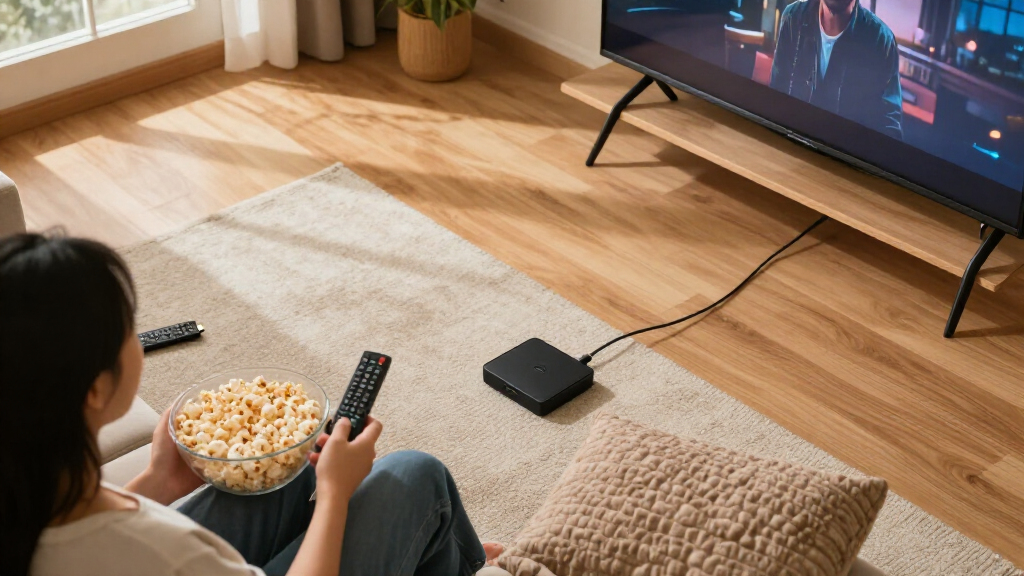
How We Picked
I evaluated these movie streaming devices based on their ability to deliver high-fidelity video and audio without compromise. Key criteria included video codec support (specifically HDR10+, Dolby Vision, and HLG), processing speed for navigating apps, and the user interface responsiveness. I also prioritized devices that offer robust smart home integration, recognizing that many users treat their TV as a central control hub.
The ranking logic favors devices that balance raw performance with ease of use. While the NVIDIA SHIELD TV Pro offers the highest technical ceiling, its price point and Android TV interface may not suit everyone. Conversely, Roku devices were ranked highly for their universal app support and lack of aggressive ads in certain tiers, whereas Amazon devices were evaluated on their Alexa voice command accuracy. I excluded models with limited app ecosystems or those lacking current-generation Wi-Fi standards unless they offered a unique, compelling value proposition for budget-conscious buyers.
Factors to Consider When Choosing Movie Streaming Devices
Selecting a streaming device involves more than just picking the cheapest stick. The following factors help clarify which device aligns with your home theater setup and viewing habits.
Video Resolution and HDR Formats
Resolution support is the baseline, but HDR formats define the dynamic range. Not all 4K devices support every HDR standard. Dolby Vision and HDR10+ offer superior contrast and color depth compared to standard HDR10. If your TV supports Dolby Vision, choosing a device that also supports it, like the Google TV Streamer or NVIDIA SHIELD, unlocks the full potential of your display. Ignoring this spec results in a flat image, even on a high-end television.
Audio Immersion and Format Support
Many viewers overlook audio specs, yet Atmos support transforms movie watching. Devices must pass through Dolby Atmos or DTS:X signals correctly to your soundbar or receiver. Some budget sticks compress audio or fail to pass through raw formats, flattening the soundstage. Check if the device supports eARC or ARC on its HDMI output if you plan to connect to a home theater system. This ensures your audio setup receives the uncompressed signal it requires for true immersion.
Smart Home Ecosystem Integration
Your existing smart home platform dictates the best choice. If you rely heavily on Alexa for controls, Amazon Fire TV devices offer seamless integration, allowing you to dim lights or check cameras via voice. Conversely, Google TV devices integrate better with Google Assistant and Android phones. Roku remains neutral, supporting multiple assistants but lacking the deep native integration of its competitors. Choosing a device that conflicts with your primary assistant creates friction in daily use.
Network Connectivity and Stability
Streaming 4K HDR content demands significant bandwidth. Wi-Fi 6 support provides better performance in crowded networks and lower latency. While older devices support Wi-Fi 5, they may struggle during peak household usage. If you cannot use an Ethernet connection, prioritize devices with dual-band Wi-Fi 6 radios. This hardware feature reduces buffering and maintains consistent bitrates, which is critical for avoiding pixelation during action-heavy movie scenes.
Interface Speed and App Ecosystem
Processing power affects how quickly apps open and how smoothly menus scroll. Low RAM or weak processors cause stuttering, especially when switching between apps. Roku and Amazon generally offer the widest app catalogs, while Google TV and Android TV provide more flexibility for sideloading apps. Consider how much you value speed versus app variety. A sluggish interface ruins the experience more quickly than a missing niche app, so prioritize devices with updated processors.
Frequently Asked Questions
Do I need a separate streaming device if my TV already has smart features?
Yes, in most cases. Built-in TV software often becomes slow and outdated faster than dedicated streaming hardware. Standalone devices like the Roku Ultra or Fire TV Cube receive regular software updates, keeping interfaces responsive and adding new features. Additionally, dedicated devices often support newer HDR formats or audio codecs that older TV firmware might lack. Replacing the ‘brain’ of your TV is cheaper than buying a new television when the internal software lags.
Is Wi-Fi 6 necessary for streaming 4K movies?
While you can stream 4K on Wi-Fi 5, Wi-Fi 6 offers better congestion management and lower latency. If your router is far from the TV or many devices use the network simultaneously, Wi-Fi 6 maintains stable speeds more effectively. It reduces the likelihood of buffering during high-bitrate scenes. For users with a strong, isolated 5GHz connection, Wi-Fi 5 may suffice, but Wi-Fi 6 provides future-proofing and reliability for dense household networks.
What is the difference between Dolby Vision and HDR10+?
Both are dynamic HDR formats that adjust brightness scene-by-scene, but Dolby Vision is more widely supported by premium content and devices. HDR10+ is an open standard championed by Samsung and some other manufacturers. If your TV supports Dolby Vision, prioritize a device that does too, as it has broader compatibility with major streaming services. HDR10+ is a good alternative if Dolby Vision is unavailable, but it has fewer supported titles currently.
Can I use a streaming device without a subscription service?
Yes, most devices offer free ad-supported content through channels like Pluto TV, Tubi, or the device’s own free tier. However, to access premium movies and original series, you will need subscriptions like Netflix, Hulu, or Disney+. The device itself is just the platform; it does not include content access. Evaluate the free library of the device interface to see if it meets your casual viewing needs before paying for multiple subscriptions.
How important is storage space on a streaming stick?
Storage matters if you plan to download apps extensively or use offline viewing features. Most streaming sticks have limited storage (8GB to 32GB), and the operating system consumes a portion of this. If you install many apps, a 32GB model like the Google TV Streamer prevents ‘storage full’ errors. For users who only stick to 3-4 major apps, 8GB is typically sufficient, but extra space provides flexibility for future app updates and additions.
Conclusion
Choosing the best movie streaming devices depends on your specific ecosystem and performance needs. For the best overall performance, the NVIDIA SHIELD TV Pro remains unmatched, offering superior upscaling and processing power for dedicated home theaters. If you seek the best value, the Amazon Fire TV Stick 4K Plus delivers excellent 4K HDR and Wi-Fi 6 support at a fraction of the cost. Beginners or those who prefer simplicity will find the Roku Streaming Stick Plus easiest to navigate, with a universal interface and reliable app support. For premium smart home users deeply embedded in the Google ecosystem, the Google TV Streamer offers the best integration and design. Finally, Amazon Alexa users should consider the Fire TV Cube for its voice control capabilities and faster processing compared to standard sticks. Match the device to your TV’s capabilities and your household’s connectivity to maximize your viewing satisfaction.
Black Friday Picks

Vitamix Propel Series 510 Professional-Grade Blender, Black
As an affiliate, we earn on qualifying purchases.