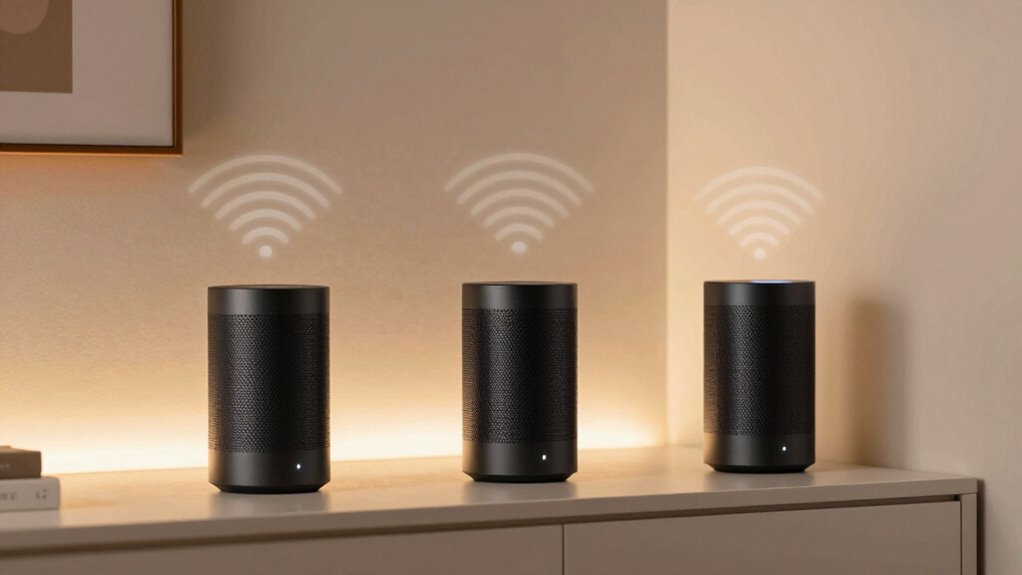
Mesh WiFi features that actually improve coverage include multiple interconnected nodes that blanket your home in strong signals and eliminate dead zones. These systems guarantee fast, reliable connections in every corner, making streaming, gaming, and remote work smoother. They also integrate smart device management, control options, and parental controls, all while maintaining security and energy efficiency. If you want to discover how these features can transform your home network, keep exploring what mesh WiFi systems can do.
Key Takeaways
- Multiple interconnected nodes create a seamless, unified network that eliminates dead zones and ensures consistent coverage throughout the home.
- Mesh systems automatically route data through the fastest, most efficient path, optimizing coverage and reducing signal interference.
- Strategic placement of nodes enhances signal strength in hard-to-reach areas, improving overall network reliability.
- Dynamic mesh technology adapts to network congestion, maintaining strong coverage even with multiple connected devices.
- Smart management features allow users to monitor and optimize coverage based on specific needs and household layouts.

Mesh WiFi systems have revolutionized home networking by providing seamless coverage and reliable connections. When you’re streaming, gaming, or working from home, you want a network that’s fast and dependable throughout every corner of your house. Mesh systems excel at this by using multiple nodes to blanket your space in strong WiFi signals. But the real game-changers are the features that enhance your user experience, like smart device integration and parental control settings.
Mesh WiFi offers seamless coverage and reliable connections, enhanced by smart device integration and parental controls.
With smart device integration, your mesh WiFi system becomes more than just a router; it turns into the central hub for all your connected gadgets. You can easily manage and monitor your smart home devices—like lights, thermostats, and security cameras—directly through the system’s app. This integration simplifies setup and gives you control in one place, so you don’t have to juggle multiple apps or interfaces. Plus, many mesh systems support voice commands through assistants like Alexa or Google Assistant, making it even easier to control your smart devices hands-free. This helps guarantee that your smart home runs smoothly without sacrificing network performance or coverage. Understanding mesh WiFi features can help you select the right system, ensuring you maximize coverage and performance for your specific home layout.
Parental control settings are another feature that notably improves your home network experience, especially if you have kids. With these controls, you can set restrictions on internet access for certain devices or users, helping you manage screen time and block inappropriate content. Many mesh WiFi systems allow you to create profiles for each family member, so you can tailor restrictions based on age or needs. You can schedule times when internet access is available or pause the connection altogether, giving you peace of mind that your children are safe online. These controls are often easy to set up and manage through intuitive apps, so you don’t have to be a tech expert to keep your family protected. Incorporating sustainable options in your choice of mesh system can also contribute to energy efficiency and environmental responsibility, which is increasingly important in modern home technology. Understanding network management options is essential for customizing your system’s controls and ensuring a balanced and secure online environment for your household.
Together, these capabilities make your mesh WiFi system more than just a coverage solution—they turn it into a smart, secure, and user-friendly hub for your entire home. That’s how modern mesh systems deliver on their promise of better coverage and smarter connectivity.
mesh WiFi system with parental controls
As an affiliate, we earn on qualifying purchases.
As an affiliate, we earn on qualifying purchases.
Frequently Asked Questions
How Does Mesh Wifi Handle Multiple Device Connections Simultaneously?
Mesh WiFi handles multiple device connections by intelligently managing traffic through features like device prioritization and band steering. You’ll notice better performance because the system assigns priority to your most important devices, ensuring they stay connected smoothly. Band steering directs devices to the most suitable frequency band, reducing congestion. This seamless management allows all your devices to work efficiently at the same time, providing a reliable and fast internet experience throughout your home.
Can Mesh Wifi Extend Coverage Through Walls and Obstacles Effectively?
They say “where there’s a will, there’s a way,” and mesh WiFi proves it by effectively extending coverage through walls and obstacles. With strong signal penetration and obstacle navigation, mesh systems intelligently route signals around barriers, ensuring a stable connection across your home. You’ll notice fewer dead zones and better overall coverage, even in tricky spots. So yes, mesh WiFi can genuinely improve coverage through challenging environments.
Do Mesh Systems Support Guest Networks and Parental Controls?
Yes, mesh systems support guest network setup and parental control features. You can easily create separate guest networks to keep visitors off your main devices, enhancing security. Additionally, parental control features let you manage and restrict internet access for kids, setting filters or schedules. These features are usually accessible through the system’s app or web interface, giving you convenient control over your home network’s security and usage.
How Does Firmware Updates Impact Mesh Wifi Performance?
Think of firmware updates as tuning your WiFi engine for peak performance. Regular updates enhance firmware security and fix bugs, preventing hackers from exploiting vulnerabilities. They also improve reliability, speed, and coverage. If you neglect update frequency, your mesh WiFi system can slow down or become unstable. Keeping firmware current guarantees your network runs smoothly and securely, helping your mesh system deliver consistent, improved coverage across your home.
Is There a Difference in Coverage Between Different Mesh Wifi Brands?
Yes, coverage varies between mesh WiFi brands due to differences in brand reliability and design aesthetics. You might find some brands offer more consistent signals and better coverage because of their dependable hardware and advanced technology. Additionally, sleek design aesthetics can influence placement and aesthetics in your home, affecting overall coverage. Choosing a reputable brand with solid reliability and attractive design guarantees you get better coverage and a more seamless WiFi experience.
best mesh WiFi router for large homes
As an affiliate, we earn on qualifying purchases.
As an affiliate, we earn on qualifying purchases.
Conclusion
Think of mesh WiFi as a lighthouse guiding your signals through the fog, illuminating every corner of your home. Its features act like beams of light, cutting through dead zones and ensuring seamless connectivity. With these tools, you’re not just improving coverage—you’re creating a sanctuary where every device shines brightly. Embrace the power of mesh WiFi, and let your network stand tall as a beacon of reliable, everywhere coverage.
mesh WiFi with smart device integration
As an affiliate, we earn on qualifying purchases.
As an affiliate, we earn on qualifying purchases.
tri-band mesh WiFi system
As an affiliate, we earn on qualifying purchases.
As an affiliate, we earn on qualifying purchases.