
TL;DR
Building an AI workstation used to be cheaper, but today prebuilt systems often match or beat DIY prices due to supply shortages and bulk buying. The choice depends on your workload, skills, and how much time you want to spend tuning or troubleshooting.
If you’re eyeing an AI workstation, the question isn’t just about specs anymore. It’s about how much time you want to spend tweaking hardware, managing compatibility, and troubleshooting, versus buying a system that’s ready to run.
In the past, building your own was almost always cheaper—unless you valued speed and support. But today, with supply chain chaos and rising component prices, prebuilt systems can offer similar or even better value. This article cuts through the hype, showing you exactly when to build, when to buy, and what trade-offs matter most.
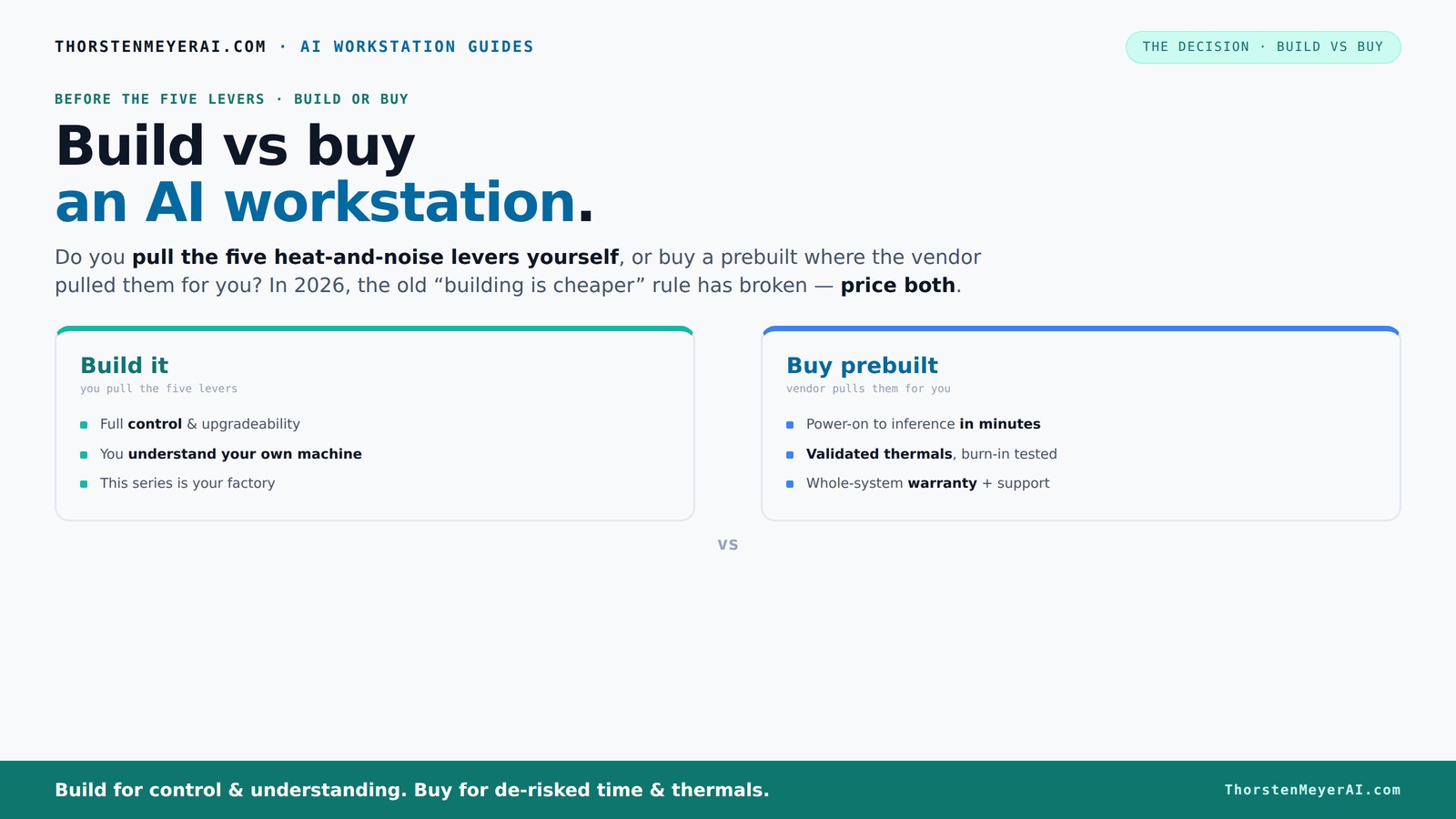
Build vs buy
an AI workstation.
The real question behind this whole series: do you pull the five heat-and-noise levers yourself, or buy a prebuilt where the vendor pulled them for you? And in 2026, the old “building is cheaper” rule has broken. Match your situation in Part 3.
Key Takeaways
- Component shortages in 2026 have made prebuilt AI workstations often as affordable or cheaper than DIY, especially when factoring in time and support.
- Prebuilts excel in support, validation, and quick deployment, making them ideal for professionals and teams needing reliability and fast turnaround.
- DIY builds offer maximum customization, upgradeability, and cost control for those comfortable with hardware and troubleshooting.
- Choosing between build and buy hinges on workload complexity, future upgrade plans, and how much time you want to spend tuning or troubleshooting.
- AI-specific hardware and software optimization can significantly boost performance—whether you build or buy.
prebuilt AI workstation
As an affiliate, we earn on qualifying purchases.
As an affiliate, we earn on qualifying purchases.
Why 2026 Changes the Build vs Buy Game (And Why You Should Care)
Component shortages, rising prices, and bulk buying have flipped the script. A DIY AI workstation that once cost around $1,000 now often hits $1,250 or more—before you even add an OS or software.
Meanwhile, big manufacturers like Dell, Puget, and Lambda lock in supply deals early, offering prebuilt systems at prices that are tough to beat—sometimes even cheaper than piecing parts together.
So, in 2026, the old rule—"build cheaper than buy"—no longer holds. Instead, you need to compare specific configurations, factoring in time, support, and future upgrades.
custom gaming and AI PC build
As an affiliate, we earn on qualifying purchases.
As an affiliate, we earn on qualifying purchases.
Who Should Just Buy? The 4 Clear-Cut Scenarios
Buying a prebuilt makes sense if you want plug-and-play simplicity, fast deployment, and a reliable warranty. Here are the top situations:
- Time is money: You value immediate use over tinkering. Prebuilts come with OS, drivers, and AI stacks preinstalled—ready to run in minutes.
- Support matters: You want a single point of contact for troubleshooting. Vendors validate thermals, run burn-in tests, and offer warranties.
- High-end, multi-GPU setups: Managing cooling and power delivery on your own gets complex fast. Vendors validate these configurations under load.
- Cost comparison favors prebuilt: Due to market shortages, a prebuilt can sometimes be cheaper than sourcing all parts individually.
For example, a Lambda system with dual GPUs, tested for 48 hours, costs about as much as a DIY build—sometimes less—thanks to bulk discounts and optimized manufacturing.
high performance GPU workstation
As an affiliate, we earn on qualifying purchases.
As an affiliate, we earn on qualifying purchases.
When Building Your Own Is Still the Better Bet
Building your own workstation shines when customization and future upgrades matter most. If you enjoy hardware, want maximum control, or have a tight budget, DIY remains attractive.
Picture this: you pick a quiet GPU and undervolt it for efficiency, then tune airflow to keep noise low. You craft a system exactly suited for inference, training, or content creation.
Plus, with a DIY build, you can upgrade components over time—swapping out a GPU or adding RAM—without waiting for a manufacturer’s schedule.
However, beware of compatibility pitfalls and thermal management challenges. Without experience, troubleshooting can turn into hours of frustration.
Deepening your understanding of hardware choices allows you to optimize performance for specific AI tasks. For example, selecting components that balance power efficiency and thermal output can extend your system’s lifespan and reliability, especially if you plan frequent upgrades or long-term usage. The tradeoff is that this requires research and patience, but the payoff is a system tailored precisely to your needs, potentially saving money and delivering higher performance in specialized workloads.
silent and cool AI computer
As an affiliate, we earn on qualifying purchases.
As an affiliate, we earn on qualifying purchases.
Cost Comparison: Build vs Buy in 2026 — The Real Numbers
| Factor | Build Your Own | Prebuilt System |
|---|---|---|
| Initial Cost | $1,250+ (parts + OS + software) | $1,200–$1,500 (fully assembled, tested, support included) |
| Assembly & Setup Time | 10–20 hours, plus troubleshooting | Minutes—plug in, power on |
| Support & Warranty | DIY support, limited warranty, or individual component warranty | Vendor support, 1–5 years warranty |
| Upgradeability | Easy—swap parts as needed | Depends on system; proprietary parts may limit upgrades |
| Long-term Cost | Potentially lower if upgraded regularly | Support and warranty costs included but limited upgrade options |
Market trends show that prebuilt systems often match or beat DIY costs, especially when factoring in time and support. Always price your exact config today, not just last year’s assumptions.
Understanding these tradeoffs helps you evaluate not just immediate costs but also future expenses and potential frustrations—key for making the right long-term decision.
Performance, Hardware Choices, and Tuning—What Matters Most
The core of any AI workstation is the GPU, followed by RAM, CPU, and storage. Building gives you control over each component, tuning for your workload.
For example, choosing an NVIDIA RTX 4090 with 24GB VRAM and undervolting it can cut noise and power use, while bumping RAM to 128GB speeds up large models.
Prebuilts often tune hardware at the factory, running tests to ensure no thermal throttling occurs under sustained load, as discussed in this article. Vendors like Lambda validate multi-GPU configurations, so you don’t hit surprises.
In AI tasks—like training models or inference—GPU performance dominates. But memory capacity and bandwidth also matter, especially when handling large datasets.
Deep hardware customization can lead to significant performance gains, but only if you understand how each component interacts during AI workloads. For instance, selecting the right memory speeds and ensuring proper thermal management can prevent bottlenecks, which are common pitfalls that reduce efficiency and increase costs over time. Conversely, prebuilts often optimize these factors, reducing the need for manual tuning but at the expense of flexibility. The tradeoff is between maximum performance through tailored configurations versus convenience and reliability from factory-tuned systems.
Support, Warranty, and Long-Term Reliability
Prebuilts excel at offering support that’s both fast and comprehensive. When your AI training halts, a vendor’s support team can troubleshoot, replace parts, or even send a technician.
Many systems include a warranty of 3–5 years, with support for troubleshooting, repairs, or upgrades. For example, Puget’s systems undergo extensive testing before shipping, reducing the chance of early failures.
DIY builds rely on your own skills or local repair shops. While you might save money, you also assume the risk of compatibility issues, thermal problems, or component failures.
In critical workloads, especially in professional settings, the peace of mind from a support-backed prebuilt can be worth the premium. Additionally, support services often include firmware updates, hardware diagnostics, and priority troubleshooting, which can significantly reduce downtime and prevent costly failures. This reliability becomes especially crucial in environments where system uptime directly impacts productivity or revenue, making prebuilt solutions a safer choice for mission-critical tasks.
Upgrading and Future-Proofing Your AI Workstation
Building your own machine makes upgrading easier—swap out GPUs, add RAM, or switch to faster storage as needed. You control the hardware timeline.
Prebuilts sometimes use proprietary parts or connectors, complicating upgrades. Some vendors offer upgrade packages, but they can be costly or limited.
Think about your long-term needs: if you plan to expand or replace components every few years, a DIY approach offers flexibility. If you want a system that stays current longer, a well-chosen prebuilt with support for upgrades might suit you better.
For instance, a DIY build with a PCIe 5.0 motherboard and modular power supply can adapt to future GPUs, whereas some OEMs lock you into specific models. This flexibility can save money and extend the usable life of your system, but it requires ongoing maintenance and knowledge of hardware compatibility. Conversely, prebuilt systems with limited upgrade paths may become obsolete faster but reduce the complexity of future upgrades, making them suitable for users who prefer a set-and-forget approach.
AI-Workstation Specifics: Why Hardware & Software Optimization Matter
AI workloads benefit from hardware tuned for machine learning—like NVIDIA’s Tensor Cores or vendor-specific NPUs. Prebuilts often come with factory-optimized software stacks, boosting performance and power efficiency.
For example, a prebuilt with NVIDIA’s latest drivers and CUDA-optimized firmware can outperform a DIY setup with generic drivers, especially in inference tasks.
Similarly, some vendors integrate AI-specific features, like background model inference or background task offloading, that improve throughput without extra tuning.
Choosing hardware and software that match your workload ensures you get the most out of your investment, whether built or bought. Factory-optimized stacks mean less time spent on manual tuning and troubleshooting, which can be critical when deploying AI models at scale. However, they may also limit customization options or require vendor-specific hardware, which could impact future flexibility. Understanding the tradeoff between optimized out-of-the-box performance and the ability to customize is key to aligning your system with your specific AI workload needs.
Final Thoughts: Which Path Fits Your Work, Skills, and Budget?
Deciding between build and buy isn’t just about cost. It’s about your workload, your skill level, and how much time you want to spend tuning or troubleshooting. If speed and support top your list, a prebuilt is the smart choice.
If you enjoy hardware tinkering, want maximum control, or plan to upgrade frequently, building your own can save money in the long run and give you unmatched customization.
In 2026, the best approach depends on your specific needs and how much risk you’re willing to accept. Both paths can lead to a powerful AI workstation—just pick the one that matches your journey.
Ultimately, understanding your workload's demands and your comfort with hardware management will guide you to the right choice. The landscape is more competitive than ever, and both options have matured to deliver high performance and reliability. Your decision should align with your technical skills, future upgrade plans, and the value you place on support and immediate deployment.
Frequently Asked Questions
Is a prebuilt AI workstation worth the extra cost?
For many, yes. Prebuilts save time, come with support, and are often tuned for thermal and noise performance. If you value reliability and quick setup, the premium can be well worth it.
Will I get better performance if I build it myself?
Not necessarily. While DIY allows precise component choices, prebuilts often come with factory-optimized hardware and software, which can match or outperform custom setups—especially in AI workloads.
What components matter most for AI work: GPU, RAM, CPU, or storage?
The GPU usually has the biggest impact on AI performance, especially for training and inference. But ample RAM and fast storage are also critical for handling large datasets efficiently.
Are prebuilts easier to maintain and troubleshoot?
Yes. Prebuilts come with vendor support, warranties, and validated configurations, reducing setup errors and downtime. DIY builds require more hands-on maintenance but offer flexibility.
Can I upgrade a prebuilt AI workstation later?
It depends. Some OEMs use proprietary parts, which can limit future upgrades. However, many high-end prebuilts are designed for easy upgrades—especially if you choose models with standard components.
Conclusion
In 2026, the choice to build or buy your AI workstation boils down to what you value most: immediate performance and support, or customization and control. Both paths lead to powerful, capable machines—so pick the one that fits your workflow, skills, and budget.
Remember, the market is more competitive than ever. Your ideal system is out there, ready or buildable, waiting to fuel your AI projects. Which will you choose?