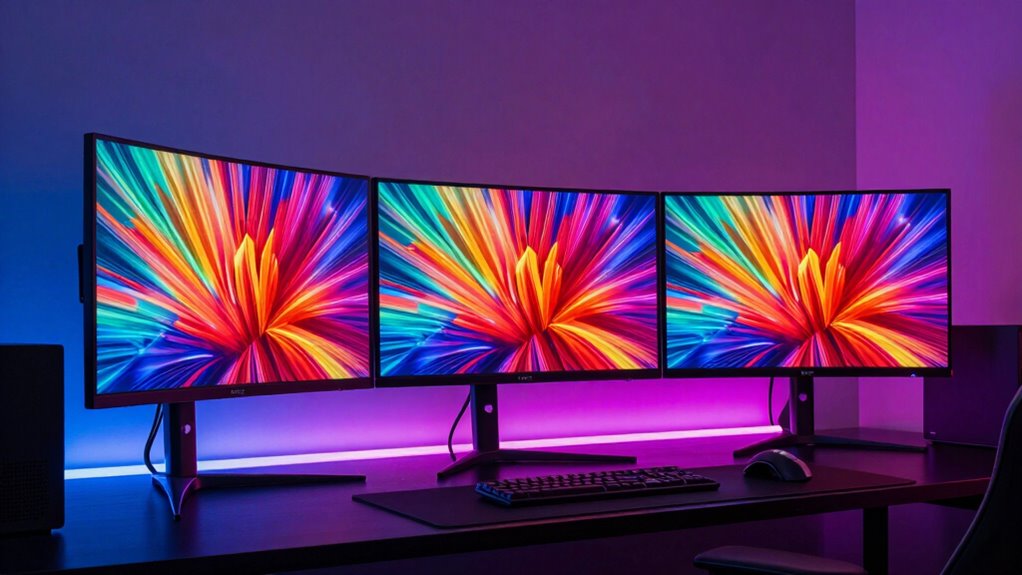

Curved gaming monitors are prized for immersing players in expansive, wraparound visuals that enhance gameplay. The Samsung 34-Inch Odyssey G5 stands out as the best overall, offering a 1000R curve that closely matches human eye curvature for a natural feel. For those seeking high refresh rates, the Sceptre 34-inch Ultrawide delivers 240Hz at a sharp 3440×1440 resolution. Meanwhile, the Samsung 27″ Essential S3 offers a more affordable, compact option for casual gamers. However, choosing the right monitor involves tradeoffs between curvature radius, resolution, refresh rate, and price. Keep reading for a detailed breakdown to find your ideal curved gaming monitor.

Get movie nights delivered free with Prime
- Fast, free delivery on millions of items
- Prime Video, Amazon Music and more included
- Member-only deals all year
Key Takeaways
- Top-tier gaming performance often requires high refresh rates and fast response times, which are more common in larger, ultrawide models.
- Curvature radius impacts immersion; tighter curves (like 1000R) provide a more enveloping experience but may not suit all desk setups.
- Resolution varies from FHD to ultrawide 3440×1440, with higher resolutions offering richer visuals at the cost of more powerful hardware.
- Build quality and additional features like built-in speakers or VESA mounts often differentiate premium models from budget options.
- Price ranges significantly, so understanding your primary use—competitive gaming vs. casual play—guides the best value choice.


| curved gaming monitor | Resolution | Refresh Rate | Curvature | Response Time |
|---|---|---|---|---|
| Samsung 34-Inch Odyssey G5 Ult | WQHD | 165Hz | 1000R | 1ms (MPRT) |
| Sceptre 34-inch Curved Ultrawi | 3440 x 1440 | 240Hz | 1500R | 1ms |
| Samsung 27" Essential S3 | FHD | 100Hz (adjustable from 60Hz) | 1800R | — |
| SANSUI 34-Inch Curved Gaming M | 3440 x 1440 | 200Hz | 1500R | 1ms |
| Sceptre 34-Inch Curved Ultrawi | 3440 x 1440 | 180Hz | 1500R | 1ms |
| Samsung 32" Odyssey G55C Serie | QHD (2560×1440) | 165Hz | 1000R | 1ms (MPRT) |
| SANSUI 32 Inch Curved Gaming M | 1920×1080 (FHD) | 240Hz | 1500R | 1ms |
| Viewedge 27 inch Curved Gaming | 1920×1080 (FHD) | 180Hz | 1500R | 1ms |
| KTC 32 Inch Curved Gaming Moni | 1920×1080 (FHD) | 280Hz | 1500R | — |
| Sceptre 27-inch Curved Gaming | 1920×1080 (FHD) | up to 250Hz | 1500R | 1ms |
| SANSUI 27 Inch Curved Gaming M | FHD 1080P | 200Hz | 1500R | 1ms |
| Sceptre 24-inch Curved Gaming | 1080p | 75Hz | 1800R | — |
| 34 Inch 240Hz Curved Ultrawide | 3440×1440 UWQHD | 240Hz | 1500R | 1ms |
| SANSUI 27 Inch Curved 240Hz Ga | 1080p | 240Hz | — | 1ms |
More Details on Our Top Picks
Samsung 34-Inch Odyssey G5 Ultra-Wide Gaming Monitor with 1000R Curved Screen
This monitor stands out for its 1000R curvature, which closely matches the human eye’s natural shape, making it ideal for extended gaming marathons. Compared to the Sceptre 34-inch models with higher refresh rates, the Odyssey G5’s 165Hz and 1ms response time still deliver very smooth gameplay but at a somewhat higher price point. Its HDR10 support adds vibrancy, though it’s primarily designed for gaming rather than multimedia creation. The limited versatility—focused on gaming and entertainment—may deter users seeking a work-oriented or multi-purpose monitor. The high curvature enhances immersion but can distort images at the edges if used for productivity tasks. Overall, this makes the most sense for dedicated gamers who prioritize deep immersion over versatility.
Pros:- Deep 1000R curvature for immersive gaming sessions
- High refresh rate and 1ms response time for smooth gameplay
- Vivid visuals with HDR10 support
Cons:- Limited to gaming and entertainment use, less suited for productivity
- Potentially high price compared to similar large monitors
Best for: Gamers who want a deeply immersive experience and long viewing comfort
Not ideal for: Users needing a monitor for professional work or color-critical tasks, as the focus is on gaming features
- Screen Size:34 inches
- Curvature:1000R
- Resolution:WQHD
- Refresh Rate:165Hz
- Response Time:1ms (MPRT)
- HDR:HDR10
Our verdict“This monitor is best for gamers who prioritize immersion and fast response times over versatility.”
Sceptre 34-inch Curved Ultrawide Gaming Monitor 3440×1440 240Hz 1ms sRGB Built-in Speakers
This model offers a substantial step up in refresh rate at 240Hz, making it ideal for fast-paced competitive gaming. Its 1500R curvature strikes a balance between immersion and practicality, unlike the more extreme 1000R of the Samsung Odyssey G5. The color coverage of 100% sRGB ensures vibrant, accurate visuals, comparable to the SANSUI 34-inch but with a significantly higher refresh rate and smoother motion. The integrated speakers add convenience, though lacking USB ports limits connectivity options. While its high refresh rate demands robust graphics hardware, it’s well-suited for gamers looking for ultra-smooth gameplay without sacrificing display quality. This monitor caters to those who want high performance and vivid images in an ultrawide format.
Pros:- Ultra-fast 240Hz refresh rate for fluid gameplay
- Balanced 1500R curvature enhances immersion without distortion
- Vibrant, accurate colors with 100% sRGB coverage
- Built-in speakers for added convenience
Cons:- Limited connectivity options—no USB ports
- No height or tilt adjustments, which could impact ergonomics
Best for: Competitive gamers or creative users valuing high refresh rates and color accuracy
Not ideal for: Users with limited hardware capability or those needing extensive connectivity options
- Size:34 inches
- Resolution:3440 x 1440
- Refresh Rate:240Hz
- Response Time:1ms
- Color Gamut:100% sRGB
- Curvature:1500R
Our verdict“This monitor suits gamers and creatives seeking high refresh rates and vivid visuals in a balanced curved ultrawide display.”
Samsung 27″ Essential S3 (S36GD) Series FHD Curved Computer Monitor
This 27-inch monitor offers a more modest 1800R curvature, which still provides an engaging viewing experience but with less immersion than larger ultrawides. Its 100Hz refresh rate is adequate for casual gaming and everyday tasks, especially with the adjustable settings for better visuals. Compared to the higher-spec Sceptre or Odyssey models, it prioritizes affordability and simplicity, making it suitable for users new to curved displays or those needing a secondary monitor. The limited connectivity options, mainly HDMI and D-sub, may restrict compatibility with modern peripherals. Designed for those who want a budget-friendly curved screen for entertainment and light work, this monitor sacrifices some advanced features for a more accessible price.
Pros:- Immersive 1800R curvature enhances depth perception
- Decent 100Hz refresh rate for smoother motion
- Adjustable game settings improve visual quality
Cons:- Limited connectivity options, mainly HDMI and D-sub
- Default refresh rate of 60Hz may require manual adjustment for better performance
Best for: Beginners or users seeking an affordable curved monitor for casual use and light gaming
Not ideal for: Enthusiasts or competitive gamers who require high refresh rates or advanced connectivity
- Screen Size:27 inches
- Curvature:1800R
- Resolution:FHD
- Refresh Rate:100Hz (adjustable from 60Hz)
- Connectivity:HDMI, D-sub
- Eye Comfort Technology:Yes, TÜV certified
Our verdict“This monitor is a good choice for beginners or those on a budget seeking a curved display for casual use.”
SANSUI 34-Inch Curved Gaming Monitor UWQHD 3440 x 1440P 200Hz Ultrawide
This 34-inch monitor offers a high 200Hz refresh rate and a 3440×1440 resolution, making it a prime choice for gamers who want both speed and expansive screen real estate. Its VA panel provides a contrast ratio of 3000:1, ensuring deep blacks and vibrant colors, comparable to the Sceptre but with better contrast. The inclusion of AI blue light reduction and gaming-specific features like crosshair makes it highly tailored for gaming sessions. While it lacks built-in speakers and offers limited ergonomic adjustments, its high refresh rate and ultrawide aspect ratio make it particularly appealing for immersive gaming and multitasking. It’s an excellent pick for those who prioritize performance and wide views over adjustability or multimedia extras.
Pros:- High 200Hz refresh rate for ultra-smooth gameplay
- Vivid contrast and deep blacks thanks to VA technology
- Wide 3440×1440 ultrawide resolution enhances immersion
- Gaming-specific features like crosshair and AI blue light reduction
Cons:- Lacks built-in speakers and extensive ergonomic adjustments
- Requires compatible hardware for VRR support
Best for: Serious gamers and multitaskers seeking speed and expansive screen space
Not ideal for: Users needing extensive ergonomic adjustments or integrated audio solutions
- Size:34 inches
- Resolution:3440 x 1440
- Refresh Rate:200Hz
- Response Time:1ms
- Contrast Ratio:3000:1
- Curvature:1500R
Our verdict“This monitor is perfect for gamers demanding high speed, contrast, and wide screens for immersive play.”
Sceptre 34-Inch Curved Ultrawide WQHD Monitor (3440 × 1440), 180Hz, 1ms, Built-in Speakers, Machine Black
This 34-inch curved ultrawide combines a 3440×1440 resolution with a 180Hz refresh rate, offering a smooth experience suitable for fast-paced gaming and multitasking. Its 21:9 aspect ratio maximizes screen space for productivity, similar to the SANSUI but with slightly lower refresh rate. The built-in speakers add convenience, though it lacks extensive ergonomic adjustments, limiting comfort for prolonged use. The LED backcover provides a sleek aesthetic, appealing for modern setups. While it doesn’t offer the ultra-high 200Hz of the SANSUI, it strikes a balance between performance and affordability, making it a versatile choice for users who want a good all-round ultrawide monitor.
Pros:- High 180Hz refresh rate for smooth gaming
- Expansive 21:9 ultrawide aspect ratio for multitasking
- Built-in speakers and modern LED design
Cons:- Limited ergonomic adjustments, mainly tilt only
- No HDMI ports mentioned, potentially limiting connectivity
Best for: Gamers and professionals desiring a large, curved ultrawide for multitasking and gaming
Not ideal for: Users requiring extensive ergonomic features or dedicated multimedia setups
- Size:34 inches
- Resolution:3440 x 1440
- Refresh Rate:180Hz
- Response Time:1ms
- Aspect Ratio:21:9
- Curvature:1500R
Our verdict“This monitor offers a balanced mix of speed, wide screen space, and modern aesthetics for casual gamers and productivity users alike.”
Samsung 32″ Odyssey G55C Series QHD Curved Gaming Monitor
The Samsung Odyssey G55C stands out for its 1000R curvature that creates a truly immersive experience, surpassing the flatter curves of other 32-inch monitors like the SANSUI 32 Inch Curved Gaming Monitor. Its 165Hz refresh rate and 1ms response time ensure smooth gameplay, making it ideal for fast-paced titles. HDR10 support delivers richer visuals, though it relies on compatible hardware to maximize HDR performance. While the curved design enhances gaming immersion, some users may find it less practical for multitasking or productivity tasks. The monitor’s eye comfort features add value for long gaming sessions, but limited to a 32-inch size, it might not suit those seeking larger or ultra-wide setups. Overall, this monitor is perfect for gamers who prioritize deep immersion and high responsiveness.Pros:- Deep 1000R curvature enhances immersion for gaming
- High 165Hz refresh rate with 1ms response time for smooth gameplay
- HDR10 support with vivid graphics and deep blacks
- Eye comfort features reduce strain during extended use
Cons:- Limited to 32-inch size, which may not fit all desk setups
- Requires compatible graphics card for optimal FreeSync performance
- Curved design may be less suitable for productivity or dual-monitor setups
Best for: Serious gamers seeking an immersive experience with high refresh rates and fast response times.
Not ideal for: Users wanting a versatile monitor for productivity or multitasking on a larger or ultra-wide display.
- Screen Size:32 inches
- Resolution:QHD (2560×1440)
- Curvature:1000R
- Refresh Rate:165Hz
- Response Time:1ms (MPRT)
- HDR:HDR10
Our verdict“This monitor excels for gamers who want an immersive, high-performance display but may be less suited for productivity-focused users.”
SANSUI 32 Inch Curved Gaming Monitor 240Hz FHD 1080P
The SANSUI 32 Inch Curved Gaming Monitor offers a 240Hz refresh rate combined with a 1500R curvature, making it highly appealing for competitive gaming and immersive viewing. Unlike the Samsung G55C, it provides a slightly more aggressive curve that enhances peripheral vision and focus. Its Full HD resolution keeps costs down, making it an attractive option for budget-conscious gamers, though it means sacrificing 4K clarity. The monitor’s 1ms response time minimizes motion blur, and its HDR capability boosts color vibrancy, but it requires a capable GPU to see the full benefit. The inclusion of HDMI and DisplayPort ensures flexible connectivity, yet the absence of built-in speakers might require external audio setups. Overall, this model balances high refresh rate performance with affordability, appealing to gamers who prioritize speed over resolution.Pros:- Very high 240Hz refresh rate ideal for fast-paced gaming
- Deep 1500R curvature enhances immersion and focus
- Fast 1ms response time reduces motion blur
- Multiple input options including HDMI and DisplayPort
Cons:- Limited to 1080P resolution, not suitable for high-resolution tasks
- No built-in speakers, requiring external audio
- Aggressive curve may be less versatile for multitasking
Best for: Competitive gamers seeking high refresh rates and fast response times without the need for 4K resolution.
Not ideal for: Those wanting a 4K display or built-in audio for multimedia consumption.
- Size:32 inches
- Resolution:1920×1080 (FHD)
- Curvature:1500R
- Refresh Rate:240Hz
- Response Time:1ms
- HDR:Yes
Our verdict“A strong choice for budget-conscious competitive gamers prioritizing speed and immersion over resolution.”
Viewedge 27 inch Curved Gaming Monitor 180Hz 1ms 1080p
This 27-inch Viewedge monitor offers 180Hz refresh rate and 1ms response time, making it a versatile choice for both gaming and everyday use. Its curved design enhances immersion without overwhelming desk space, unlike larger monitors such as the Samsung G55C or SANSUI 32-inch models. The 1080P resolution keeps costs and power consumption lower, but may not satisfy those seeking ultra-high-definition visuals. The monitor’s VESA compatibility and adjustable tilt add ergonomic flexibility, though it lacks built-in speakers, which might inconvenience multimedia users. Its moderate size makes it suitable for smaller desks or dual-monitor setups. Overall, this pick balances performance and practicality, ideal for gamers who also need a functional workspace.Pros:- Fast 180Hz refresh rate and 1ms response time for smooth gameplay
- Compact 27-inch size fits smaller desks
- Curved screen enhances immersion and reduces eye strain
- VESA compatibility and ergonomic tilt
Cons:- Limited to 1080P resolution, lacking 4K clarity
- No built-in speakers, external audio needed
- Limited screen size may not appeal to those wanting larger displays
Best for: Gamers and professionals needing a compact, responsive monitor that fits smaller spaces.
Not ideal for: Users requiring higher resolutions or built-in audio for media consumption.
- Screen Size:27 inches
- Resolution:1920×1080 (FHD)
- Refresh Rate:180Hz
- Response Time:1ms
- Curvature:1500R
- VESA:Yes
Our verdict“A practical, space-saving monitor offering fast response and decent immersion for gamers with limited desk space.”
KTC 32 Inch Curved Gaming Monitor, 280Hz/240Hz, FHD 1080P
The KTC 32-inch monitor delivers high refresh rates up to 280Hz and a 1500R curvature, making it a top contender for fast-paced gaming. Compared with the SANSUI 32-inch model, its higher refresh rate offers slightly better responsiveness, especially for competitive play. Its 1080P resolution keeps costs manageable, though it won’t match the clarity of 4K displays. The adjustable tilt and VESA mount provide ergonomic flexibility, but the absence of height adjustment limits fine-tuning. Its wide color gamut and HDR10 support improve visual quality, but the overall size and resolution may not appeal to users seeking larger or 4K options. This monitor balances speed, immersion, and adaptability, suitable for gamers who want a customizable experience.Pros:- Maximum refresh rate of 280Hz for ultra-smooth gameplay
- 1500R curved design for immersive viewing
- VESA mount and tilt adjustments for ergonomic setup
- Good color coverage with HDR10 support
Cons:- Limited to 1080P resolution, not 4K
- No height adjustment, only tilt
- Potentially higher power consumption at maximum refresh rate
Best for: Competitive gamers who prioritize high refresh rates and ergonomic flexibility in a 32-inch size.
Not ideal for: Those seeking ultra-high-definition visuals or a larger, more adjustable setup.
- Size:32 inches
- Resolution:1920×1080 (FHD)
- Refresh Rate:280Hz
- Curvature:1500R
- HDR:Yes
- VESA:Yes
Our verdict“Ideal for competitive players wanting high refresh rates with flexible mounting and ergonomic options.”
Sceptre 27-inch Curved Gaming Monitor 1080p 1500R up to 250Hz with Built-in Speakers
The Sceptre 27-inch monitor offers a 1500R curvature combined with a up to 250Hz refresh rate and 1ms response time, making it an excellent choice for gamers who want a balance of speed and compactness. Its built-in speakers add convenience, though they may not satisfy audiophiles or those seeking premium sound. The Full HD resolution is standard for its size, with vibrant colors thanks to 100% sRGB coverage. Its multiple connectivity options enhance flexibility, yet the design can seem bulky for smaller or minimalist setups. Compared with larger 32-inch models, this monitor offers a more manageable form factor without sacrificing much in gaming performance. It’s perfect for gamers who need a responsive display in a smaller footprint with integrated audio.Pros:- Fast 250Hz refresh rate with 1ms response time for quick reactions
- Compact 27-inch size fits smaller desks
- Curved screen enhances immersion and reduces eye strain
- Built-in speakers add convenience
Cons:- Limited to 1080P resolution, not 4K
- Bulky design may not suit minimalist setups
- Speakers may lack quality for critical listening
Best for: Gamers seeking a responsive, space-efficient monitor with built-in speakers for multimedia enjoyment.
Not ideal for: Users who want 4K resolution or higher-quality audio without external speakers.
- Screen Size:27 inches
- Resolution:1920×1080 (FHD)
- Refresh Rate:up to 250Hz
- Response Time:1ms
- Curvature:1500R
- Speakers:Yes
Our verdict“A responsive, ergonomic monitor with integrated audio, suited for gamers in limited space who prioritize speed and convenience.”
SANSUI 27 Inch Curved Gaming Monitor 200Hz 1ms with Speakers, FHD 1080P, FreeSync, HDR, VESA Mount
This SANSUI 27-inch model stands out for its incredibly high 200Hz refresh rate and 1ms response time, making it ideal for fast-paced gaming where every millisecond counts. Compared to the Sceptre 24-inch, it offers a larger screen and better refresh rate, although it still sticks to 1080P resolution, which might be limiting for some. Its 1500R curvature enhances immersion, while FreeSync and HDR support improve visual fluidity and color depth. The inclusion of built-in speakers and multiple ports adds convenience, but the monitor’s fragility and lack of 4K support are notable drawbacks. This monitor is perfect for competitive gamers who prioritize speed and responsiveness over resolution or USB connectivity.
Pros:- Exceptional 200Hz refresh rate and 1ms response time for fast-paced gaming
- Immersive 1500R curvature with wide viewing angles
- Supports FreeSync and HDR for smoother, richer visuals
- Includes built-in speakers and versatile connectivity
Cons:- Fragile build that requires careful handling
- Limited to 1080P resolution, not suitable for 4K enthusiasts
- No USB ports for additional device connections
Best for: Players who need ultra-smooth gameplay and quick response times, especially in competitive environments.
Not ideal for: Casual users or those seeking 4K clarity, since it’s limited to 1080P and has no USB ports.
- Size:27 inches
- Refresh Rate:200Hz
- Response Time:1ms
- Curvature:1500R
- Resolution:FHD 1080P
- Color Gamut:130% sRGB
- Contrast Ratio:3000:1
- Ports:HDMI, DP, audio jack
Our verdict“This monitor delivers outstanding speed and immersion for gamers prioritizing competitive performance over ultra-high resolution.”
Sceptre 24-inch Curved Gaming Monitor, 1080p, 75Hz, HDMI, VGA, Built-in Speakers, VESA Wall Mount, Black
This 24-inch Sceptre monitor offers an immersive 1800R curvature, making it a good entry point for new gamers or users with limited space. While its 75Hz refresh rate falls short of high-end gaming standards like the 200Hz found in the SANSUI, it still provides smooth enough visuals for casual gaming and everyday use. Its multiple input options, including HDMI and VGA, and VESA compatibility make it flexible for various setups, but the lower refresh rate limits its appeal for competitive or fast-paced gaming. The built-in speakers are convenient but not high quality. This model is well suited for casual gamers or those just starting with curved monitors, who don’t need the highest refresh rates or resolution.
Pros:- Immersive 1800R curved display enhances visual engagement
- Decent 75Hz refresh rate for smooth gameplay in casual titles
- Multiple input options, including HDMI and VGA
- VESA wall mount compatibility adds flexibility
Cons:- Limited to 75Hz, not suitable for high-end gaming
- Brightness variation and moderate display brightness (250 cd/m²)
- Built-in speakers are basic and may lack sound clarity
Best for: Beginners or casual gamers seeking an affordable curved monitor with decent immersion.
Not ideal for: Serious or competitive gamers who require higher refresh rates and better audio quality.
- Size:24 inches
- Resolution:1080p
- Refresh Rate:75Hz
- Curvature:1800R
- Brightness:250 cd/m²
- Input Ports:HDMI x2, VGA
Our verdict“This monitor offers a comfortable curved experience for newcomers or casual users without the need for high refresh rates.”
34 Inch 240Hz Curved Ultrawide Gaming Monitor, UWQHD 3440×1440, 21:9
This 34-inch ultrawide monitor excels with a 240Hz refresh rate and 1ms response time, surpassing many standard gaming screens like the SANSUI 27-inch in size and immersion. Its UWQHD resolution and 1500R curvature create a cinematic experience, ideal for both gaming and multitasking. VA panel technology ensures rich colors and deep blacks, with HDR10 support adding vibrancy. Compared with smaller, more traditional monitors, its large size requires dedicated space and can be overwhelming for tight setups. While it offers versatile connectivity and VESA mounting, its cost and size might be prohibitive for casual or limited-space users. This is a top choice for gamers seeking an expansive, high-performance ultrawide experience.
Pros:- Exceptional 240Hz refresh rate and 1ms response time for ultra-smooth gameplay
- Expansive 3440×1440 ultrawide resolution creates an immersive experience
- Rich color gamut with HDR10 support enhances visuals
- Flexible connectivity options including HDMI, DisplayPort, and VESA
Cons:- Large physical size requires significant desk space
- Premium price point may be too high for casual users
- Potential for overkill for non-ultrawide needs
Best for: Hardcore gamers and content creators wanting an immersive, ultrawide display with high refresh rates.
Not ideal for: Users with limited space or those on a tight budget, given the premium price and large footprint.
- Size:34 inches
- Resolution:3440×1440 UWQHD
- Refresh Rate:240Hz
- Response Time:1ms
- Curvature:1500R
- Panel Type:VA
Our verdict“This ultrawide monitor delivers superior immersion and speed for gamers and creators demanding expansive visuals and fluid performance.”
SANSUI 27 Inch Curved 240Hz Gaming Monitor FHD 1080P, 1500R Curve, HDR, FreeSync, 1ms Response, 130% sRGB, 4000:1 Contrast, HDMI & DisplayPort
This SANSUI 27-inch monitor combines a 240Hz refresh rate with a 1ms response time, matching the performance of the higher-end 200Hz model but with slightly different specs like a higher contrast ratio and HDR support. Its 1500R curvature creates an immersive gaming environment, similar to the 200Hz SANSUI, yet it lacks built-in speakers and has no height adjustment, limiting flexibility. The 1080P resolution remains a compromise compared to 1440p or 4K options, but for fast-paced gaming, this model offers excellent responsiveness and color accuracy thanks to 130% sRGB coverage. Compared to the 200Hz version, it offers a higher contrast ratio, though the absence of speakers may be a drawback for some. This monitor is best suited for gamers seeking high refresh rates with superior contrast and color performance.
Pros:- High 240Hz refresh rate and 1ms response time for competitive play
- Excellent contrast ratio of 4000:1 with HDR support
- Curved 1500R display enhances immersion
- Strong color coverage with 130% sRGB
Cons:- No built-in speakers or audio output
- Limited to 1080P resolution, less sharp than higher resolutions
- No height adjustment or ergonomic features
Best for: Enthusiast gamers aiming for ultra-fast response times with excellent color accuracy in a mid-range package.
Not ideal for: Users needing built-in audio, adjustable stands, or higher resolutions like 1440p or 4K.
- Size:27 inches
- Resolution:1080p
- Refresh Rate:240Hz
- Response Time:1ms
- Contrast Ratio:4000:1
- Color Gamut:130% sRGB
- Ports:HDMI, DisplayPort
Our verdict“This monitor offers a balanced blend of speed, contrast, and color for high-level gaming without extra features like audio or height adjustment.”

How We Picked
The products in this roundup were selected based on a combination of performance metrics, usability, build quality, and value. We prioritized monitors that balance high refresh rates, low response times, and good color accuracy for gaming, while also considering size, curvature radius, and resolution options. Durability and extra features like VESA compatibility or built-in speakers influenced rankings, with a focus on models that offer clear advantages in their price range. Our goal was to identify options suitable for a variety of gamers—from competitive players to casual enthusiasts—by emphasizing real-world performance and user experience over mere specifications.Factors to Consider When Choosing Curved Gaming Monitors
Choosing the right curved gaming monitor involves weighing several factors to match your gaming style and setup. Beyond just size and resolution, considerations like curvature, refresh rate, response time, and additional features can significantly impact your experience. Making informed decisions helps avoid common pitfalls, such as over-investing in features you don’t need or selecting a size that won’t fit your space. This guide explores key aspects to keep in mind when selecting your ideal curved gaming monitor.Curvature Radius and Immersion
The curvature radius, measured in millimeters (e.g., 1000R, 1500R), determines how tightly the monitor curves around your eyes. Tighter curves (like 1000R) deliver a more immersive experience, especially in ultrawide formats, but can sometimes distort peripheral vision or feel overwhelming on smaller desks. Flatter curves (around 1800R or more) may be more comfortable for extended use and fit better in typical setups. Consider your desk space and how much you value immersion versus comfort when choosing the curvature radius.
Resolution and Screen Size
Higher resolution monitors, such as ultrawide 3440×1440, offer sharper visuals and more screen real estate, which benefits competitive gaming and detailed graphics. However, they demand more powerful graphics hardware to run smoothly. FHD (1080p) models tend to be more affordable and easier to drive, making them suitable for casual or entry-level gaming. Matching resolution with screen size and your hardware capabilities is key to avoiding lag and visual bottlenecks.
Refresh Rate and Response Time
High refresh rates (at least 144Hz, ideally 240Hz) are essential for fluid gameplay, especially in fast-paced shooters or racing games. Response times of 1ms to 2ms reduce motion blur and ghosting, creating crisper images during rapid movement. Be cautious—some budget models might advertise high refresh rates but lack actual low response times or proper panel quality. Prioritize monitors with verified specs that support your desired frame rates for competitive or high-intensity gaming.
Additional Features and Build Quality
Features like VESA compatibility, adjustable stands, built-in speakers, and multiple input options add convenience and flexibility. Premium models often include better color accuracy, HDR support, and durable construction, which enhance overall experience but increase cost. Think about which features matter most—extra ports for multiple devices or adjustable stands for ergonomic comfort—and balance these against your budget.
Price and Future-Proofing
While budget models can serve casual gamers well, investing slightly more can provide longer-lasting performance, particularly with higher refresh rates or better color reproduction. Consider your gaming ambitions and hardware upgrades: a more capable monitor might be worth the extra expense if it ensures longevity and compatibility with future systems. Avoid overly cheap options that might underperform or break down quickly, but also be wary of overspending on features you won’t use.
Frequently Asked Questions
Is a curved monitor better for competitive gaming?
For competitive gaming, a curved monitor can enhance immersion and reduce peripheral distractions, but the key factors are high refresh rate and low response time. Most competitive players prefer flat screens for minimal distortion and consistent viewing angles, but some find the wraparound effect of curved screens beneficial. Ultimately, the choice depends on personal preference and hardware compatibility, with high refresh rates and fast response times being more critical than curvature alone.
Can I use a curved monitor for multitasking or professional work?
Yes, curved monitors can be quite effective for multitasking or professional tasks, especially in ultrawide formats that provide more screen real estate. The curvature helps reduce eye strain and makes multiple windows easier to view simultaneously. However, some users might find the distortion at the edges distracting for precise work, so it’s important to select a curvature that balances immersion with clarity for your specific needs.
What size and curvature should I choose for my gaming setup?
Size depends on your desk space and how close you sit to the screen; larger monitors like 34 inches are immersive but require ample space. Curvature should match your preference for immersion versus comfort—tighter curves (around 1000R) create a more enveloping experience, while milder curves (around 1800R) are less intense. Consider trying out different options if possible, and align your choice with your typical viewing distance and gameplay style.
Are ultrawide curved monitors good for gaming?
Ultrawide curved monitors excel at providing an immersive experience, especially in open-world or simulation games. They also offer more horizontal space for multitasking, which can be a bonus for streamers or productivity. The main tradeoff is that they require more powerful hardware to run at high resolutions and refresh rates without lag. Additionally, some games may not support ultrawide aspect ratios perfectly, leading to black bars or stretched images.
How much should I spend on a good curved gaming monitor?
The price varies widely based on size, resolution, refresh rate, and features. For a solid mid-range gaming experience, expect to spend around $300–$600. If you want top-tier performance with ultrawide resolution, 240Hz refresh rates, HDR, and premium build quality, prices can exceed $800. Consider your gaming style and hardware compatibility; investing in a higher-quality model often pays off in durability and performance, especially for serious gamers.
Conclusion
Choosing the right curved gaming monitor depends heavily on your gaming priorities. If you want the best overall experience, the Samsung 34-Inch Odyssey G5 offers a blend of immersion, performance, and value. Budget-conscious gamers should consider the Samsung 27″ Essential S3 for reliable performance without breaking the bank. For enthusiasts seeking premium features, the SANSUI 27 Inch Curved 240Hz provides high refresh rates and excellent build quality. Casual players or newcomers might prefer smaller, more affordable options like the Sceptre 24-inch. Assess your space, hardware, and gameplay style to find the perfect match.Fall Picks
fall essentials
As an affiliate, we earn on qualifying purchases.