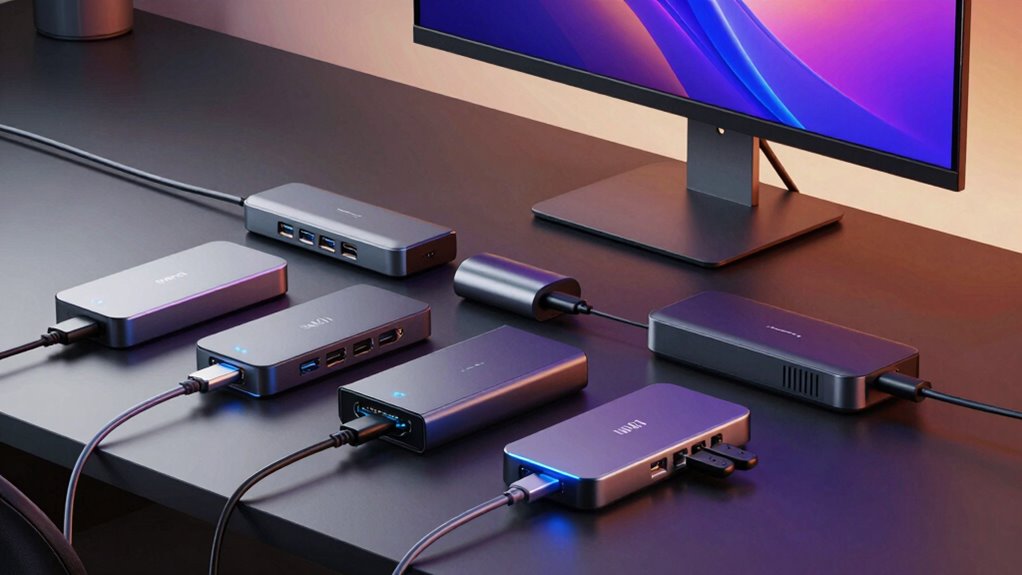

Docking stations turn a laptop into a full desktop workstation with one cable, but the right pick depends on how many monitors you run, how much power your laptop draws, and whether your machine has USB-C or only USB-A. The Anker Prime 14-in-1 stands out as the best overall choice thanks to its 160W power delivery and dual-monitor flexibility, while the Plugable USB 3.0 Universal Dock is the smarter buy for older laptops without USB-C, and the Anker PowerExpand 8-in-1 hits a sweet spot for dual-HDMI setups at a lower complexity level. The main tradeoff in this category is between raw port count and display fidelity: more ports often means shared bandwidth, which can cap monitor refresh rates or resolution. Below, I break down each dock’s strengths, weaknesses, and who each one actually suits.

Get movie nights delivered free with Prime
- Fast, free delivery on millions of items
- Prime Video, Amazon Music and more included
- Member-only deals all year
Key Takeaways
- Power delivery was the biggest differentiator: the Anker Prime’s 160W output comfortably charges power-hungry workstations, while the Dell WD25’s 100W is adequate but leaves little headroom for gaming laptops.
- DisplayPort vs HDMI matters more than port count — the HoDo‘s triple-display support comes with VGA legacy ports that drag down its appeal for anyone with modern 4K monitors.
- The Plugable USB 3.0 Universal Dock proves USB-A-only laptops aren’t locked out of docking, but its DisplayLink-based video comes with driver dependencies that USB-C docks avoid.
- Two docks from the same brand (Anker) landed in very different tiers, showing that 8-in-1 versus 14-in-1 is about workstation scale, not quality.
- Passive cooling and build quality correlated with price: the budget HoDo runs warmer under sustained triple-display loads than the Dell or Anker Prime.
| Anker Prime 14-in-1 Laptop Docking Station (Dual Monitor, 160W) |  | Best Overall | Ports: 14-in-1 (3x USB-C 100W, 1x USB-A 12W, dual HDMI, data ports to 10Gbps) | Total Power Output: 160W | Max Output Per USB-C: 100W | VIEW ON AMAZON | See Our Full Breakdown |
| Dell Pro Laptop Docking Station WD25, USB-C, 100W, DisplayPort, HDMI |  | Best for IT and Multi-Display Workstations | Hardware Interface: DisplayPort, HDMI, Ethernet, USB | Total Ports: 10 (6 USB) | HDMI Ports: 1 | VIEW ON AMAZON | See Our Full Breakdown |
| Anker PowerExpand 8-in-1 USB-C Docking Station with Dual HDMI for Dual Monitors |  | Best Value for 4K Dual Monitors | Ports: 8-in-1: 2x HDMI, 2x USB-A, USB-C PD-IN, Ethernet, microSD/SD | Max Resolution: 4K@60Hz single, 4K@30Hz dual | Power Delivery: Up to 85W pass-through (100W charger required) | VIEW ON AMAZON | See Our Full Breakdown |
| HoDo 8-in-1 USB C Docking Station, Dual HDMI 4K, DisplayPort, VGA, Triple Display Laptop Dock |  | Best Budget Triple-Display Option | Ports: 2x HDMI 4K, 1x DisplayPort 4K@60Hz, 1x VGA 1080p, 3x USB 2.0, 1x USB-C PD | Max Power Input: 100W (87W safe output) | USB Transfer Speed: 480Mbps | VIEW ON AMAZON | See Our Full Breakdown |
| Plugable USB-C Triple Display Docking Station with 100W PD and 3x HDMI (12-in-1) |  | Best for MacBook Users | Ports: 12-in-1: 3x HDMI, 6x USB 3.0, Gigabit Ethernet, audio | Max Displays: 3 (1x 4K@30Hz, 2x 1080p@60Hz) | Power Delivery: 100W | VIEW ON AMAZON | See Our Full Breakdown |
| Plugable USB 3.0 Universal Laptop Docking Station with Dual HDMI |  | Best Budget Dual-Monitor Workhorse | Video outputs: 2x HDMI | Dual display resolution: Up to 1920×1200 at 60Hz | Single display resolution: Up to 2560×1440 at 50Hz | VIEW ON AMAZON | See Our Full Breakdown |
| docking station | Compatibility | Ports |
|---|---|---|
| Anker Prime 14-in-1 Laptop Doc | USB-C, USB4, Thunderbolt; Windows 10/11, ChromeOS | 14-in-1 (3x USB-C 100W, 1x USB-A 12W, dual HDMI, data ports to 10Gbps) |
| Dell Pro Laptop Docking Statio | Windows 10/11, Ubuntu 24.04, RHEL 9.6+, ChromeOS 137 | — |
| Anker PowerExpand 8-in-1 USB-C | Windows 10/11, ChromeOS, USB-C/USB4/Thunderbolt with DP Alt Mode and PD | 8-in-1: 2x HDMI, 2x USB-A, USB-C PD-IN, Ethernet, microSD/SD |
| HoDo 8-in-1 USB C Docking Stat | — | 2x HDMI 4K, 1x DisplayPort 4K@60Hz, 1x VGA 1080p, 3x USB 2.0, 1x USB-C PD |
| Plugable USB-C Triple Display | Windows 10/11, macOS 11+, ChromeOS 100+, Thunderbolt/USB4 | 12-in-1: 3x HDMI, 6x USB 3.0, Gigabit Ethernet, audio |
| Plugable USB 3.0 Universal Lap | Windows 11/10, macOS 14 or later, ChromeOS 100 or later | — |
More Details on Our Top Picks
Anker Prime 14-in-1 Laptop Docking Station (Dual Monitor, 160W)
This option stands out for the sheer breadth of its 14-port array combined with 160W of total charging output, which is enough to power a laptop at full speed through one USB-C port while simultaneously charging a phone and a tablet. Compared with the Anker PowerExpand 8-in-1, the Prime adds faster 10Gbps data transfer and more downstream ports without doubling the footprint. The tradeoff is video: dual HDMI tops out at 2K@60Hz, meaning anyone dreaming of sharp 4K desktops should step up to the PowerExpand instead. macOS users also get mirrored displays only, a real limitation for MacBook multitaskers. This pick makes the most sense for Windows or ChromeOS users who want one dock to handle charging, peripherals, and a modest dual-monitor setup.
Pros:- 160W total output charges laptop and multiple devices at once
- 14 ports including fast 10Gbps data transfer
- Dual HDMI for extended displays on Windows
- Works with USB-C, USB4, and Thunderbolt laptops
Cons:- No Linux compatibility
- macOS external monitors are mirrored only
- Caps at 2K@60Hz — no 4K display support
Best for: Windows and ChromeOS laptop owners who want maximum ports and charging power from a single dock
Not ideal for: 4K monitor users and macOS owners — resolution caps at 2K and Macs get mirrored displays only
- Ports:14-in-1 (3x USB-C 100W, 1x USB-A 12W, dual HDMI, data ports to 10Gbps)
- Total Power Output:160W
- Max Output Per USB-C:100W
- Display Support:Dual displays up to 2K@60Hz (DP 1.4) or 1080p@60Hz (DP 1.2)
- Compatibility:USB-C, USB4, Thunderbolt; Windows 10/11, ChromeOS
- Linux Support:No
- Included Cable:3.3 ft USB-C upstream cable (100W, 10Gbps)
Our verdict“Buy this if you want the most capable all-around dock in this lineup and don’t need 4K external displays.”
Dell Pro Laptop Docking Station WD25, USB-C, 100W, DisplayPort, HDMI
Where the Anker Prime focuses on port variety, the Dell WD25 focuses on display density and fleet manageability. Supporting up to four high-resolution displays, it out-screens every other dock here — even the Plugable Triple Display tops out at three. The cloud-based Device Management Console is the real differentiator for IT departments: administrators can manage docks remotely across a fleet, something no consumer-focused competitor offers. It also runs Ubuntu and RHEL, where the Anker docks refuse to work at all. The tradeoff is convenience — just one HDMI port despite the display claims, so multi-monitor setups lean heavily on DisplayPort, and non-Dell machines may need verification before committing.
Pros:- Supports up to four high-resolution displays
- Up to 100W power delivery to Dell and non-Dell PCs
- Works with Ubuntu and RHEL Linux, unlike the Anker options
- Cloud-based remote manageability for IT fleets
Cons:- Only one HDMI port despite multiple display outputs
- Full features require Windows 10 or newer
- Display-heavy claims depend on DisplayPort monitors
Best for: Businesses and IT departments provisioning multi-monitor workstations, especially mixed Dell and Linux environments
Not ideal for: Home users wanting plug-and-play simplicity — the single HDMI port and enterprise manageability features are wasted effort
- Hardware Interface:DisplayPort, HDMI, Ethernet, USB
- Total Ports:10 (6 USB)
- HDMI Ports:1
- Wattage:130W (up to 100W to laptop)
- Max Supported Displays:4 high-resolution displays
- Compatibility:Windows 10/11, Ubuntu 24.04, RHEL 9.6+, ChromeOS 137
- Dimensions:8.07 x 3.54 x 1.39 in, 1.2 lb
Our verdict“This is the fleet-deployment pick — choose it when remote management and multi-display output matter more than port variety.”
Anker PowerExpand 8-in-1 USB-C Docking Station with Dual HDMI for Dual Monitors
For buyers who mostly need two monitors and a clean desk, this PowerExpand delivers the essentials without the Prime’s premium. It runs a single 4K display at 60Hz — something the higher-output Anker Prime cannot do at any resolution — though dual displays drop to 4K@30Hz, which is fine for documents but not for smooth scrolling. The tradeoffs are structural: it’s pass-through charging, so you supply your own 100W wall charger and cable, and total charging tops out at 85W versus the Prime’s 160W. Compared with the similarly priced HoDo, the PowerExpand adds SD/microSD card readers and Ethernet, making it better for photographers and remote workers. macOS users still get mirrored displays only, so this remains a Windows-first pick.
Pros:- True 4K@60Hz on a single display
- Dual HDMI plus Ethernet and SD/microSD readers
- 85W pass-through charging keeps laptops powered
- 18-month warranty from an established brand
Cons:- Requires a separate 100W PD charger and USB-C cable
- Dual-display mode drops to 4K@30Hz
- Not Linux compatible; macOS mirrors displays
Best for: Windows users and content creators who want true 4K single-display output plus card readers on a budget
Not ideal for: Buyers wanting an all-in-one kit — the required 100W charger and cable are sold separately
- Ports:8-in-1: 2x HDMI, 2x USB-A, USB-C PD-IN, Ethernet, microSD/SD
- Max Resolution:4K@60Hz single, 4K@30Hz dual
- Power Delivery:Up to 85W pass-through (100W charger required)
- Compatibility:Windows 10/11, ChromeOS, USB-C/USB4/Thunderbolt with DP Alt Mode and PD
- macOS Limitation:Mirrored displays on both external monitors
- Warranty:18 months
Our verdict“The smart choice if 4K output and card readers matter more than raw charging power.”
HoDo 8-in-1 USB C Docking Station, Dual HDMI 4K, DisplayPort, VGA, Triple Display Laptop Dock
The HoDo’s pitch is video-output variety at a low price: dual HDMI, a DisplayPort, and even a legacy VGA port, enabling triple 4K displays on a compatible Windows laptop. That legacy VGA makes it the only dock here that can drive an old projector or office monitor directly. But the corners cut are real. Its three data ports are USB 2.0 only at 480Mbps — the Anker Prime moves data twenty times faster — so large file transfers will crawl. It also demands a full-featured USB-C port with DisplayPort Alt Mode, and several popular laptops (some Dell gaming models, ThinkPad X1 Carbon Gen 7/8, Lenovo Yoga) simply won’t work. Add the missing power adapter, and the true cost creeps up. Compared with the Plugable Triple Display, you trade reliability and driver-based flexibility for savings.
Pros:- Triple 4K display support with HDMI, DisplayPort, and VGA outputs
- Legacy VGA port for older projectors and monitors
- 100W USB-C power delivery input
- Responsive customer support with 24-hour response time
Cons:- USB 2.0 data ports only — very slow file transfers
- Power adapter and cord not included
- Incompatible with many laptops lacking DP Alt Mode
Best for: Budget-conscious Windows users with confirmed DP Alt Mode support who want triple displays plus legacy VGA
Not ideal for: Anyone with a laptop lacking DisplayPort Alt Mode, or users transferring large files over USB
- Ports:2x HDMI 4K, 1x DisplayPort 4K@60Hz, 1x VGA 1080p, 3x USB 2.0, 1x USB-C PD
- Max Power Input:100W (87W safe output)
- USB Transfer Speed:480Mbps
- Max Resolution:4K single/dual/triple; 1080p@60Hz quadruple
- Requirements:Full-featured USB-C with DisplayPort Alt Mode
- Power Adapter:65W or higher recommended — not included
Our verdict“A viable budget triple-display dock, but only after you verify your laptop’s USB-C port fully supports video output.”
Plugable USB-C Triple Display Docking Station with 100W PD and 3x HDMI (12-in-1)
This Plugable earns its place by solving a problem no other dock in this lineup can: it bypasses the single-external-display limit on Apple M1/M2/M3 MacBooks using DisplayLink technology, driving three HDMI screens where the Anker Prime and PowerExpand offer Macs nothing but mirrors. Windows users get triple displays too, though the resolution split is uneven — one 4K screen at 30Hz, two at 1080p@60Hz. That 30Hz refresh will feel less fluid than the Anker PowerExpand’s 60Hz single-display output, so this is a productivity pick, not a video-editing one. The driver installation on macOS and lack of HDCP (no Netflix on external screens) are honest tradeoffs. Compared with the HoDo’s driverless approach, Plugable’s driver requirement buys genuine Mac compatibility and lifetime support.
Pros:- Bypasses single-display limits on Apple M1/M2/M3 Macs
- Three HDMI outputs plus six USB 3.0 ports and Gigabit Ethernet
- 100W Power Delivery charges while docked
- Lifetime North American-based technical support
Cons:- 4K limited to 30Hz; other displays max at 1080p
- Driver installation required on macOS
- No Linux support and no HDCP
Best for: Apple Silicon MacBook owners who need multiple extended external displays
Not ideal for: Video editors and media streamers — 4K caps at 30Hz and HDCP isn’t supported on external displays
- Ports:12-in-1: 3x HDMI, 6x USB 3.0, Gigabit Ethernet, audio
- Max Displays:3 (1x 4K@30Hz, 2x 1080p@60Hz)
- Power Delivery:100W
- Input Voltage:20V
- Compatibility:Windows 10/11, macOS 11+, ChromeOS 100+, Thunderbolt/USB4
- Linux Support:Not compatible; HDCP not supported
- Dimensions:7.9 x 3.3 x 1.2 in, 332 g
Our verdict“The clear choice for MacBook users chasing multi-monitor productivity, provided 30Hz 4K doesn’t bother you.”
Plugable USB 3.0 Universal Laptop Docking Station with Dual HDMI
Not every desk setup needs 4K or triple displays, and this option makes a case for that by getting the basics right at a low price. Compared with the Plugable USB-C Triple Display Docking Station, it gives up 4K resolution and 100W laptop charging, but it still delivers two HDMI monitors at 1920×1200, Gigabit Ethernet, and six USB ports — enough for a typical office workspace. Its strength is universality: because it works over USB 3.0 as well as USB-C, it fits older laptops that newer docks like the Anker Prime 14-in-1 can’t serve. The tradeoffs are real: it won’t charge your laptop, HDCP-protected streaming won’t play on external monitors, and macOS users face a manual driver installation. For document work, email, and web-based workflows, those limits rarely matter.
Pros:- Dual HDMI outputs plus six USB ports and Gigabit Ethernet cover everyday desk peripherals
- Works with both USB 3.0 and USB-C hosts, including older laptops
- Supports Windows 11/10, macOS 14+, and ChromeOS 100+
- 2-year coverage and lifetime support from a long-established dock maker
Cons:- Capped at 1920×1200 per display — no 4K, gaming, or HDCP-protected content
- Requires a driver for dual displays, with manual installation on macOS
- Does not pass power to the laptop, so you still need a separate charger
Best for: Office workers and students with older or mixed Windows laptops who want dual 1080p monitors and wired networking without paying for 4K or charging features
Not ideal for: Anyone with HDCP-protected streaming, gaming, or 4K display needs — and users who want a single-cable setup that also charges the laptop
- Video outputs:2x HDMI
- Dual display resolution:Up to 1920×1200 at 60Hz
- Single display resolution:Up to 2560×1440 at 50Hz
- USB ports:2x USB 3.0, 4x USB 2.0
- Other ports:Gigabit Ethernet, 3.5 mm headphone and microphone jacks
- Host connection:USB 3.0 and USB-C cable
- Compatibility:Windows 11/10, macOS 14 or later, ChromeOS 100 or later
- Warranty and support:2-year coverage, lifetime support
- Not supported:4K, Linux/Unix, DisplayPort, HDCP-protected content, host charging
Our verdict“A sensible pick if you run basic dual-monitor productivity setups on Windows or older hardware and would rather not pay for resolution and charging features you’ll never use.”

How We Picked
I ranked these docking stations around four buyer-facing criteria: display output capability (number of external monitors, max resolution, and whether displays run natively or through compression), power delivery (enough wattage to charge the connected laptop under load, not just idle), connectivity breadth (USB ports, ethernet, card readers, and legacy options like VGA where they genuinely help), and compatibility honesty — whether a dock works across Windows, macOS, and USB-A-only machines or locks buyers into one ecosystem. A dock that promises triple 4K displays but only delivers it on specific platforms loses points for versatility.
The ranking order reflects real-world workflows rather than spec-sheet totals. The Anker Prime 14-in-1 takes the top spot because it leads on power and port density simultaneously. The Plugable models earn their positions on display specialization and universal compatibility respectively, while the Dell WD25 sits mid-pack as a dependable corporate choice. The HoDo and Anker PowerExpand round out the list as budget-friendly options with clear, documented tradeoffs.
| docking station | Compatibility |
|---|---|
| Anker Prime 14-in-1 Laptop Doc | USB-C, USB4, Thunderbolt; Windows 10/11, ChromeOS |
| Dell Pro Laptop Docking Statio | Windows 10/11, Ubuntu 24.04, RHEL 9.6+, ChromeOS 137 |
| Anker PowerExpand 8-in-1 USB-C | Windows 10/11, ChromeOS, USB-C/USB4/Thunderbolt with DP Alt Mode and PD |
| HoDo 8-in-1 USB C Docking Stat | — |
| Plugable USB-C Triple Display | Windows 10/11, macOS 11+, ChromeOS 100+, Thunderbolt/USB4 |
| Plugable USB 3.0 Universal Lap | Windows 11/10, macOS 14 or later, ChromeOS 100 or later |
Factors to Consider When Choosing Docking Stations
Choosing a docking station is less about finding the most ports and more about matching the dock’s architecture to your laptop and your desk setup. These are the factors that actually change how a dock performs day to day.Power Delivery Headroom
The wattage number on the box needs to exceed your laptop’s charging requirement, not just meet it. A 100W dock sounds generous until you connect a 16-inch workstation laptop that ships with a 140W adapter — under heavy load, the battery slowly drains even while docked. A common mistake is buying a dock rated exactly at your laptop’s charger wattage, leaving zero margin for charging while driving displays and peripherals. Check your laptop’s original adapter rating first, then buy a dock with at least 20–30W of headroom. Also note that docks reserve some wattage internally, so a ‘100W PD’ dock may only pass 85–90W to the laptop. Gamers and video editors should prioritize 130W+ docks like the Anker Prime; office users with ultrabooks can comfortably stay at 65–100W.
Native Video vs. DisplayLink Compression
USB-C docks with DisplayPort Alt Mode drive monitors natively — crisp, low-latency, and driver-free. USB-A universal docks like the Plugable rely on DisplayLink chips that compress video through software, which works fine for office work but can stutter during video playback, gaming, or DRM-protected streaming content. Buyers frequently discover this limitation only after purchase, when Netflix refuses to play on an external monitor. If you have a USB-C laptop, always favor Alt Mode displays. DisplayLink only makes sense when your laptop lacks USB-C or you need more monitors than your laptop’s GPU can natively output. macOS users should verify DisplayLink driver support for their version before buying, as updates occasionally lag.
Display Configuration Math
Bandwidth is finite, so every additional monitor usually reduces the resolution or refresh rate available to all of them. A dock that supports one 4K monitor at 60Hz might only run two at 30Hz — a detail buried in spec tables that dramatically affects daily usability. Before buying, write down exactly what monitor configuration you need (for example, two 1440p at 60Hz), then verify each dock supports that combination natively. Triple-display docks like the HoDo and Plugable 12-in-1 often restrict the third display to 1080p or require one monitor on a legacy port. Also confirm your laptop’s GPU supports the number of external displays you want — the dock cannot add capability the laptop lacks without DisplayLink.
Host Connection and Compatibility
The single biggest compatibility trap is assuming every USB-C port does everything. Some laptops (typically budget Windows machines) have USB-C ports without DisplayPort Alt Mode, meaning video-capable docks connect but never output a display signal. Check your laptop’s port specifications for ‘DisplayPort Alt Mode’ or a display icon next to the port. Thunderbolt laptops work with USB-C docks, but not vice versa. Corporate buyers should also consider driver policies — DisplayLink docks require installing drivers, which some IT departments restrict. The Plugable USB 3.0 model exists specifically for this scenario, and the Dell WD25 is a safe pick for standardized Dell fleets. When in doubt, buy from a retailer with easy returns and test immediately.
Build, Cooling, and Desk Footprint
Docks run warm when driving multiple displays and charging simultaneously, and sustained heat degrades both the dock and the connected laptop battery over time. Metal-chassis docks like the Anker Prime and Dell WD25 dissipate heat better than plastic budget units, which often throttle power delivery when hot. Vertical stands save desk space but can block laptop ventilation or make cable routing awkward. Consider where the dock physically sits: under-monitor horizontal docks work well with external keyboards, while brick-style docks tuck neatly behind a monitor mount. Finally, check cable lengths — a dock with a short tethered USB-C cable forces awkward desk placement, and short ethernet ports on cramped units can be frustrating to access.
Frequently Asked Questions
Can a docking station charge my laptop and drive two monitors at the same time?
Yes, but only if the dock’s power delivery exceeds your laptop’s total draw while under load. A dock rated at 100W typically passes around 85–90W to the laptop after reserving power for its own chipset and ports. If your laptop ships with a 100W or higher adapter, look at docks in the 130–160W range, like the Anker Prime. Also confirm the dock supports simultaneous charging and dual-display output — some budget docks drop power delivery when both video outputs are active. This is one case where reading the fine print on the product page saves a return shipment.
Why does my monitor only run at 30Hz when connected through the dock?
This almost always comes down to bandwidth sharing across the dock’s video outputs. A single 4K display at 60Hz uses most of a USB-C connection’s DisplayPort bandwidth, so adding a second monitor forces both down to 30Hz on many docks. Fixes include using a dock with dual DisplayPort pipelines, lowering resolution to 1440p, or connecting one monitor directly to a laptop’s HDMI port. The Anker Prime and Plugable 12-in-1 handle dual high-resolution displays better than compact 8-in-1 docks. Check the dock’s spec table for per-port resolution and refresh rate combinations rather than the headline ‘supports 4K’ claim.
My laptop only has USB-A ports. Can I still use a docking station?
You can, but your options narrow considerably. USB 3.0 universal docks like the Plugable use DisplayLink technology to send compressed video through a standard USB-A port, supporting multiple monitors plus ethernet and USB peripherals. The tradeoffs are real: video passes through software compression, so fast-motion content, gaming, and some DRM-protected streaming apps perform poorly or refuse to play on external screens. You also need to install DisplayLink drivers, which some corporate IT policies block. For document work, browsing, and static content, though, these docks are genuinely useful and often the only path to multi-monitor setups on older hardware.
Is a Thunderbolt dock worth the extra cost over a USB-C dock?
Only if you transfer large files regularly or need more than two high-resolution displays. Thunderbolt offers roughly four times the bandwidth of standard USB-C, which matters for fast NVMe enclosures, 10Gb ethernet, and triple 4K setups without bandwidth compromises. For typical office use — two monitors, ethernet, keyboard, mouse — a well-designed USB-C dock delivers an identical experience for less money. The catch is that Thunderbolt docks only work with Thunderbolt-equipped laptops, while USB-C docks work on nearly everything, including Thunderbolt machines. If your laptop has Thunderbolt and you edit video or move large datasets, the upgrade pays for itself; otherwise, save the money.
Will a Windows-focused docking station work with my MacBook?
Partially, in most cases. USB-C docks with native DisplayPort Alt Mode generally drive displays from a MacBook fine, but macOS limits extended desktops to one external display on base M1/M2 Macs regardless of the dock’s capabilities — a hardware restriction no dock can bypass. Card readers, ethernet, and USB ports almost always work. DisplayLink-based docks like the Plugable USB 3.0 can add extra displays to Macs, but you must install macOS DisplayLink drivers and verify compatibility with your current macOS version, since updates occasionally break support temporarily. Apple Silicon Macs are also picky about power delivery negotiation, so confirm the dock’s PD profile includes the wattage your MacBook expects.
Conclusion
For the best overall pick, the Anker Prime 14-in-1 wins on sheer capability — 160W charging and dual-monitor support make it the dock that handles nearly any laptop and desk configuration without compromise. The Plugable 12-in-1 earns the premium spot for power users who need triple displays and maximum connectivity, while the Anker PowerExpand 8-in-1 is the best value for straightforward dual-HDMI setups that don’t need 160W charging. Beginners and casual users should start with the Dell WD25 — its straightforward port selection and dependable build make it the easiest dock to live with, especially in Dell-centric offices. For specific needs: the Plugable USB 3.0 Universal Dock is the clear choice for older USB-A-only laptops, and the HoDo 8-in-1 suits budget buyers who need legacy VGA or DisplayPort connections alongside modern HDMI. Match the dock to your laptop’s ports and your monitor ambitions first — everything else follows from those two answers.
Halloween Picks
halloween
As an affiliate, we earn on qualifying purchases.