
📊 Full opportunity report: Build vs Buy a Prebuilt AI Workstation on ThorstenMeyerAI.com — validation score, market gap, and execution plan.

Get movie nights delivered free with Prime
- Fast, free delivery on millions of items
- Prime Video, Amazon Music and more included
- Member-only deals all year
TL;DR
In 2026, prebuilt AI workstations often match or beat DIY costs due to component shortages and bulk buying. They offer quicker deployment and validated performance, but building provides greater control. The choice depends on priorities like speed, customization, and long-term ownership.
In 2026, prebuilt AI workstations can now often match or surpass the cost of building your own, while offering faster deployment, validated performance, and support. This shift is driven by global chip shortages and bulk purchasing power, making prebuilt systems more attractive for many users.
Recent market conditions have caused component prices to rise, making DIY AI workstations more expensive than in previous years. Meanwhile, vendors like Lambda and Puget now offer prebuilt systems with validated thermals, optimized cooling, and pre-installed software, reducing setup time and operational risks.
Choosing between build and buy hinges on priorities: prebuilt systems excel in speed, reliability, and support, while building offers maximum control over hardware, software, and security. Cost comparisons reveal that prebuilt options often match or beat DIY prices, especially when factoring in hidden expenses such as troubleshooting, maintenance, and talent costs.
Deployment timelines have shortened significantly for prebuilt systems, which can be operational within 1–2 weeks, versus several months for custom builds. This rapid deployment can be critical for projects with tight deadlines or competitive markets.
Build vs buy
an AI workstation.
The real question behind this whole series: do you pull the five heat-and-noise levers yourself, or buy a prebuilt where the vendor pulled them for you? And in 2026, the old “building is cheaper” rule has broken. Match your situation in Part 3.
Why the 2026 Shift Changes AI Workstation Choices
This evolution impacts how organizations and individuals plan their AI infrastructure. Faster deployment and reduced operational risks make prebuilt systems appealing, especially for teams lacking extensive hardware expertise. Conversely, those requiring tailored hardware configurations still favor building, despite higher time investments. The market shift also influences long-term costs, as hidden expenses like maintenance and troubleshooting become more prominent in total ownership calculations. Overall, understanding these tradeoffs helps users make informed decisions aligned with their strategic goals and resource capabilities.As an affiliate, we earn on qualifying purchases.
Market Changes and Trends in AI Hardware for 2026
Over the past year, global chip shortages and supply chain disruptions have driven up component costs, reversing the traditional build-cheaper paradigm. Bulk purchasing by vendors has enabled prebuilt system prices to remain competitive or even lower than DIY options, despite the higher initial investment. Additionally, the rise in demand for AI workloads has led to vendors validating hardware configurations through extensive testing, ensuring reliability and performance consistency.
Previously, building an AI workstation was often the cost-effective choice for tech-savvy users seeking customization. Today, the landscape favors prebuilt solutions, which come with warranties, support, and pre-installed software, reducing setup time and operational uncertainties. This trend is expected to continue as supply chain issues persist into 2026, making the build vs buy decision more nuanced than ever.
"Building your own AI workstation provides maximum control and customization, but requires significant time, expertise, and ongoing management."
— Jane Doe, CTO at TechSolutions
As an affiliate, we earn on qualifying purchases.
Unresolved Questions About Long-Term Costs and Support
It remains unclear how long the current market trends will persist, especially regarding component prices and supply chain stability. Additionally, the true long-term costs of maintenance, upgrades, and support for prebuilt systems versus DIY setups are still being evaluated. The impact of rapid technological advancements on upgradeability and security patches also adds uncertainty to the decision-making process.
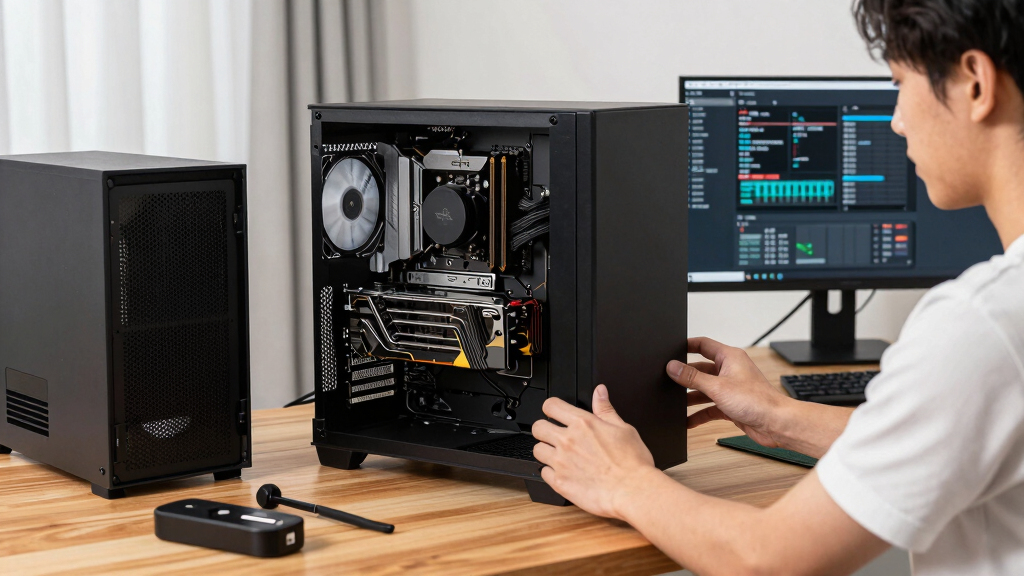
high-performance AI workstation build
As an affiliate, we earn on qualifying purchases.
As an affiliate, we earn on qualifying purchases.
Future Developments in AI Workstation Market and Technology
Expect vendors to continue refining prebuilt systems with more integrated AI-specific features and improved thermal management. Market dynamics may shift with new supply chain solutions or technological breakthroughs, potentially altering cost and performance advantages. Users should monitor vendor offerings, support options, and evolving hardware standards over the coming months to inform their choices. Additionally, hybrid solutions combining prebuilt and custom elements are likely to grow in popularity as a flexible middle ground.
As an affiliate, we earn on qualifying purchases.
Key Questions
Is building an AI workstation still cost-effective in 2026?
It depends on your need for customization and control. While component prices have increased, building can still be cost-effective for highly tailored setups, but many find prebuilt systems offer comparable or better value considering time and support costs.
How long does it typically take to deploy a prebuilt AI workstation?
Most prebuilt systems can be operational within 1–2 weeks, including delivery and initial setup, whereas custom builds may take several months.
What are the main advantages of buying a prebuilt AI workstation?
Prebuilt systems offer faster deployment, validated performance, warranty, and support, reducing operational risks and setup time.
Can I upgrade a prebuilt AI workstation easily later?
Upgradeability varies by model, but many prebuilt systems allow for hardware upgrades, though often with some limitations compared to custom builds.
Does building an AI workstation provide better security?
Building your own system offers maximum control over hardware and software security measures, but it requires expertise to implement and maintain these protections effectively.
Source: ThorstenMeyerAI.com
Halloween Picks
halloween
As an affiliate, we earn on qualifying purchases.