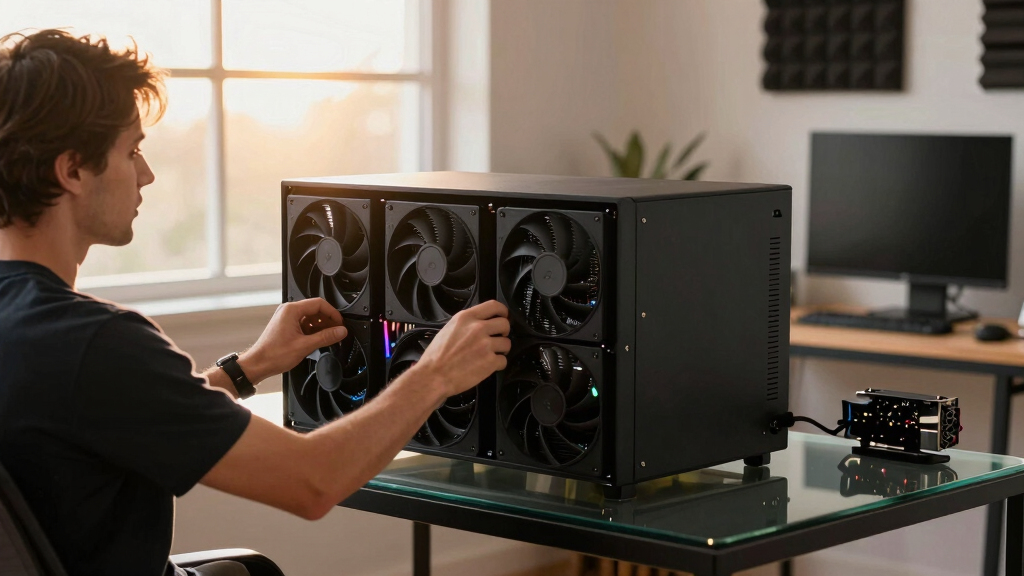

📊 Full opportunity report: How to Reduce Heat and Noise in a High-Power AI Workstation on ThorstenMeyerAI.com — validation score, market gap, and execution plan.

Get movie nights delivered free with Prime
- Fast, free delivery on millions of items
- Prime Video, Amazon Music and more included
- Member-only deals all year
TL;DR
High-power AI workstations generate significant heat and noise due to sustained GPU loads. Key solutions include undervolting GPUs, optimizing cooling, and improving airflow. This guide explains what is confirmed and what remains uncertain.
High-power AI workstations produce excessive heat and noise during sustained workloads, posing challenges for users aiming for quieter, cooler operation. Confirmed solutions include undervolting GPUs, optimizing cooling systems, and enhancing airflow, which can significantly reduce thermal output and fan noise.
AI workstations run continuously at or near full GPU load, unlike gaming PCs that handle bursty activity. This sustained load causes higher heat generation and louder fan noise, especially in multi-GPU setups where exhaust recirculation worsens cooling efficiency. The main sources of heat and noise are the GPUs, CPU, power supply, VRMs, and case airflow. Confirmed effective measures include undervolting GPUs to lower power consumption, upgrading cooling solutions, and improving case ventilation. These adjustments can reduce fan speeds, noise, and thermal stress, leading to quieter, more stable operation. However, some hardware modifications, like liquid cooling or specific fan replacements, require further testing and are not universally proven for all setups.An AI workstation isn’t a gaming PC —
and that’s why it runs hot.
Local inference is a sustained load: the GPU sits near full power for hours with no loading screens, so the heat never dissipates and the fans never get a break. Here’s where the heat comes from — and the five levers that reduce it.
Impact of Heat and Noise Reduction on AI Workstation Performance
Reducing heat and noise improves the stability and longevity of high-power AI hardware, enhances user comfort, and allows for more intensive workloads without overheating or excessive fan noise. This is especially relevant for professionals running long inference tasks or multi-GPU configurations, where thermal management directly affects productivity and hardware lifespan.Popular right now

Philips 3300 Series Fully Automatic Espresso Machine with LatteGo Milk System

Bose QuietComfort True Wireless Earbuds with Active Noise Cancellation, Black

Ninja SP151 Flip Toaster Oven and Air Fryer, 8-in-1, Stainless Steel
As an affiliate, we earn on qualifying purchases.
Background on Heat and Noise Challenges in AI Workstations
Unlike gaming PCs, AI workstations operate under continuous, high-load conditions, often pushing GPUs to 100% utilization for hours. This sustained load results in higher heat output and fan activity. Common issues include throttling due to thermal limits, increased power consumption, and loud cooling fans. Prior efforts have focused on cooling upgrades, but recent insights highlight the effectiveness of undervolting and power capping, which are confirmed as impactful strategies. The complexity of airflow and component placement also influences overall thermal performance, making tailored cooling solutions essential.“Undervolting your GPU can cut heat output significantly without sacrificing inference speed, making it a key step in quieting your AI workstation.”
— Thorsten Meyer, AI hardware expert
Uncertain Aspects of Hardware Modifications and Long-Term Effects
While undervolting and airflow improvements are well-supported, the long-term effects of aggressive liquid cooling, custom fan setups, and power limit tweaks are still being studied. Compatibility and stability may vary between hardware models, and some modifications could impact warranty or hardware lifespan. Further testing is needed to establish best practices across diverse setups.Next Steps for Optimizing AI Workstation Cooling and Noise
Users should experiment with undervolting and power capping using manufacturer-recommended tools, upgrade case airflow components, and consider advanced cooling options where appropriate. Ongoing research and user reports will refine best practices, and hardware manufacturers may release firmware updates to assist thermal management. Future developments may include integrated cooling solutions tailored for AI workloads and smarter fan control systems.Key Questions
What is the most effective way to reduce heat in my AI workstation?
The most effective verified method is undervolting your GPU to lower power consumption and heat output, combined with improving case airflow and cooling system efficiency.
Can I use liquid cooling to make my AI workstation quieter?
Liquid cooling can help, but its long-term effects and compatibility vary. It requires careful setup and testing, and is not universally proven as the best solution for noise reduction in all setups.
Will reducing fan speeds compromise my system’s stability?
Potentially, but with proper thermal management and careful tuning, reducing fan speeds can be achieved without risking stability. Monitoring temperatures during adjustments is recommended.
Are there risks associated with undervolting or power capping?
Yes, improper settings can cause system instability or hardware issues. Use manufacturer tools and follow tested guides to minimize risks.
What are the next innovations in cooling for AI workstations?
Future solutions may include integrated cooling modules designed specifically for AI workloads, smarter fan control systems, and firmware updates that optimize thermal performance automatically.
Source: ThorstenMeyerAI.com