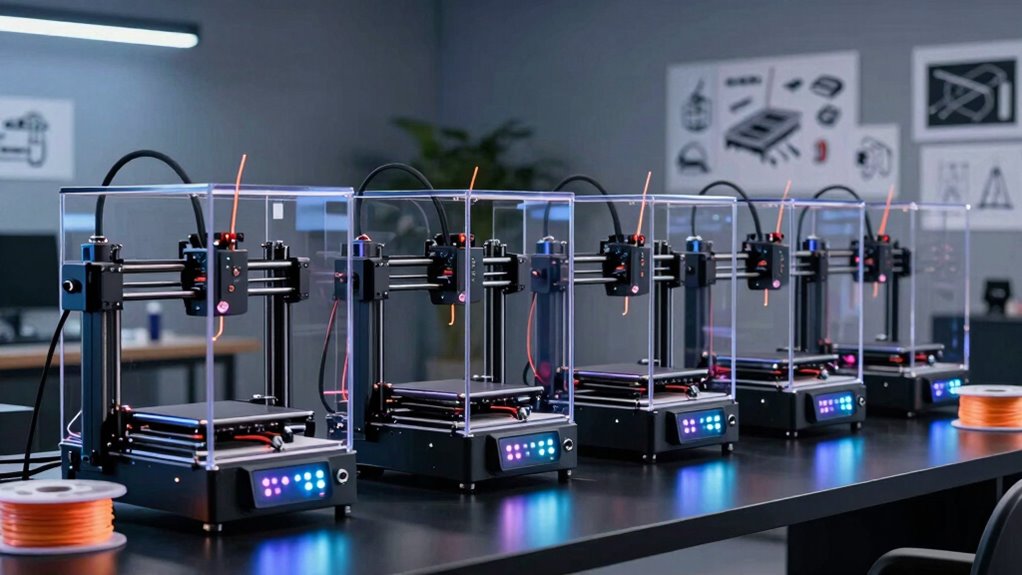
Searching for the best 3D printers in 2026? The market offers a wide range of options, from versatile all-rounders to specialized high-speed or multi-material models. The Bambu Lab P1S stands out as the best overall choice thanks to its balance of quality, speed, and usability. The FLASHFORGE Creator 5 Pro is ideal for industrial-level projects, while the Adventurer 5M excels for hobbyists seeking auto-leveling and fast prints. Each of these options involves tradeoffs: higher performance often means higher cost, while simpler models may lack advanced features. Continue reading for a detailed breakdown to find the right 3D printer for your needs.

Get movie nights delivered free with Prime
- Fast, free delivery on millions of items
- Prime Video, Amazon Music and more included
- Member-only deals all year
Complete the kit


Key Takeaways
- The top-ranked 3D printers combine speed, reliability, and ease of use, making them suitable for both professionals and hobbyists.
- Multi-material and multi-color capabilities are key differentiators, especially in higher-end models like the P1S Combo and P2S Combo.
- Auto-leveling and high-speed printing features significantly impact workflow efficiency and print quality.
- Build volume varies widely; choosing the right size depends on your project scope, with larger volumes costing more.
- Price ranges reflect not just features but also build quality and support, so investing in a higher-quality machine can save headaches later.
| Bambu Lab P1S 3D Printer |  | Best Overall for Versatility and Ease of Use | Product Dimensions: 15.31 x 18.03 x 15.31 inches | Item Weight: 38.9 pounds | Supported Filament: PLA, PETG, TPU, PVA, PET, ABS, ASA; Capable: PA, PC | VIEW ON AMAZON | See Our Full Breakdown |
| FLASHFORGE Creator 5 Pro Industrial 3D Printer |  | Best for Professional-Grade Multi-Material Printing | Active Chamber Temperature: 65°C | Air Filtration: HEPA13 | Number of Extruders: 4 | VIEW ON AMAZON | See Our Full Breakdown |
| FLASHFORGE Adventurer 5M 3D Printer |  | Best for Fast, User-Friendly Printing | Print Size: 220x220x220mm | Max Speed: 600mm/s | Extruder Temperature: 280°C | VIEW ON AMAZON | See Our Full Breakdown |
| Bambu Lab P1S Combo 3D Printer with AMS, Multi-Color |  | Best for Simplified Multi-Color Printing with Fast Setup | Colors: Up to 16 | Max Speed: 500mm/s | Enclosure: Fully enclosed | VIEW ON AMAZON | See Our Full Breakdown |
| Bambu Lab P2S Combo, P2S 3D Printer & AMS 2 Pro |  | Best for High-Speed, Multi-Color Professional Workflows | Product Dimensions: 18 x 22 x 18 inches | Item Weight: 46.3 pounds | VIEW ON AMAZON | See Our Full Breakdown | |
| FLASHFORGE AD5X Multi-Color 3D Printer, CoreXY, 600mm/s High-Speed, 1-Click Auto Leveling, 300°C Direct Drive Extruder, 220x220x220mm Build Volume |  | Best for Multi-Color and Rapid Prototyping | Build Volume: 220x220x220mm | Maximum Speed: 600mm/s | Extruder Temperature: 300°C | VIEW ON AMAZON | See Our Full Breakdown |
| 3d printer | Item Weight | Product Dimensions |
|---|---|---|
| Bambu Lab P1S 3D Printer | 38.9 pounds | 15.31 x 18.03 x 15.31 inches |
| FLASHFORGE Creator 5 Pro Indus | — | — |
| FLASHFORGE Adventurer 5M 3D Pr | 22 pounds | — |
| Bambu Lab P1S Combo 3D Printer | — | — |
| Bambu Lab P2S Combo | 46.3 pounds | 18 x 22 x 18 inches |
| FLASHFORGE AD5X Multi-Color 3D | 24.2 pounds | 16 x 14 x 18 inches |
More Details on Our Top Picks
Bambu Lab P1S 3D Printer
The Bambu Lab P1S stands out for its multi-color and multi-material printing capabilities, combined with high-speed performance up to 500mm/s, making it a versatile choice for a wide range of users. Its automatic bed leveling and enclosed design contribute to consistent quality, particularly benefiting those who want reliable results without extensive setup. Compared with the FLASHFORGE Adventurer 5M, the P1S offers more advanced multi-material options but requires connecting an additional AMS module for full multi-color functionality, adding complexity and cost. The P1S’s weight of nearly 39 pounds limits portability, but the enclosure improves print stability and quality, especially with delicate or high-precision jobs. This model is best suited for hobbyists and small studios seeking high performance with minimal fuss.
Pros:- Vibrant multi-color/multi-material printing capabilities
- High-speed printing up to 500mm/s
- Automatic bed leveling for quick setup
- Enclosed design enhances print quality and safety
Cons:- Requires additional Bambu Lab AMS for full multi-color operation
- Heavy at 38.9 pounds, limiting mobility
- Not suitable for carbon or glass fiber reinforced filaments
Best for: Intermediate to advanced hobbyists and small-scale professionals needing multi-color and multi-material printing with ease.
Not ideal for: Users seeking a lightweight, portable 3D printer or those primarily working with carbon fiber filaments, which this model does not support.
- Product Dimensions:15.31 x 18.03 x 15.31 inches
- Item Weight:38.9 pounds
- Supported Filament:PLA, PETG, TPU, PVA, PET, ABS, ASA; Capable: PA, PC
- First Available:August 15, 2025
Our verdict“This printer offers a well-rounded mix of speed, multi-material flexibility, and ease of use, ideal for enthusiasts ready to expand their multi-color printing capabilities.”
FLASHFORGE Creator 5 Pro Industrial 3D Printer
The FLASHFORGE Creator 5 Pro is designed for demanding professional environments, featuring four independent extruders and a heated chamber up to 65°C that support multi-material and multi-color printing. Its all-metal CoreXY architecture ensures high stability and precision at speeds up to 600mm/s, translating to rapid production cycles. The integrated HEPA13 air filtration and sealed enclosure make it suitable for office or educational settings where safety and cleanliness matter. When compared to the Bambu Lab P2S Combo, the Creator 5 Pro offers more extruders but may be more complex to operate and maintain, reflecting its professional focus. Its high cost and setup complexity mean it’s better suited for experienced users with a need for versatile, high-volume output rather than casual hobbyists.
Pros:- Supports multi-material and multi-color printing with four independent extruders
- High-speed printing at 600mm/s with stable, all-metal architecture
- Effective air filtration and sealed chamber enhance safety
- Automatic calibration simplifies operation
Cons:- Setup can be complex for non-technical users
- High price point limits accessibility for hobbyists
- Bulkier and heavier, requiring dedicated space
Best for: Professional engineers, educators, and industrial users needing multi-material, high-speed printing in a safe environment.
Not ideal for: Hobbyists or small-scale users looking for a simple, plug-and-play solution, due to its complexity and cost.
- Active Chamber Temperature:65°C
- Air Filtration:HEPA13
- Number of Extruders:4
- Build Volume:256mm³
- Max Printing Speed:600mm/s
- Display:4-inch full-color touchscreen
Our verdict“This printer excels for professional environments demanding speed, multi-material options, and safety, but may be overkill for casual users.”
FLASHFORGE Adventurer 5M 3D Printer
The FLASHFORGE Adventurer 5M offers impressive speed up to 600mm/s along with automatic bed leveling, making it a strong choice for those prioritizing quick turnaround times and straightforward operation. Its all-metal CoreXY framework ensures durability, and remote monitoring adds convenience for busy makers. Compared to the Bambu Lab P1S, the Adventurer 5M emphasizes simplicity and speed but may lack multi-material versatility. Its weight of over 22 pounds means it’s not the lightest model, and some users might face a learning curve with its more sophisticated controls. This pick is best for users who want fast, reliable prints without fuss, provided they’re comfortable with some trial and error.
Pros:- Automatic bed leveling simplifies setup
- High-speed printing up to 600mm/s reduces wait times
- Remote monitoring via mobile app enhances workflow
- Durable all-metal CoreXY structure
Cons:- Customer reviews are less than fully positive, indicating potential reliability issues
- Relatively heavy, requiring stable placement
- Some users may face a learning curve with advanced features
Best for: Hobbyists and small workshops seeking rapid, straightforward printing with remote monitoring features.
Not ideal for: Users requiring multi-material multi-color printing or working in space-constrained environments, due to its size and mixed review scores.
- Print Size:220x220x220mm
- Max Speed:600mm/s
- Extruder Temperature:280°C
- Nozzle Change Time:3 seconds
- Item Weight:22 pounds
Our verdict“This printer is best for users who need fast, easy-to-monitor printing but are willing to handle occasional setup challenges.”
Bambu Lab P1S Combo 3D Printer with AMS, Multi-Color
The Bambu Lab P1S Combo combines high-speed printing with a fully enclosed design and a built-in AMS system, supporting up to 16 colors and multiple filaments. Its auto bed leveling and quick setup—under 15 minutes—make it accessible for both newcomers and experienced makers. Compared to the standalone P1S, the Combo’s integrated AMS streamlines multi-color jobs without external modules, although it still requires connecting the system for full multi-color functionality. The 46.3-pound weight demands a dedicated space, but the speed and ease of multi-material switching make it attractive for efficient production. Notably, it doesn’t support carbon fiber or glass fiber reinforced filaments, which could limit some advanced applications. This option is ideal for those wanting vibrant multi-color prints with minimal fuss and fast turnaround times.
Pros:- Vibrant multi-color/multi-material printing capabilities
- Fast speeds of up to 500mm/s for efficient production
- Automatic bed leveling for high-quality results
- Easy setup suitable for all skill levels
Cons:- Requires connection to Bambu Lab AMS for full multi-color operation
- Not compatible with carbon or glass fiber reinforced filaments
- Heavy and sizable footprint
Best for: Enthusiasts and small-scale production users seeking hassle-free multi-color and multi-material printing.
Not ideal for: Advanced users working with fiber-reinforced filaments or requiring ultra-light, portable printers.
- Colors:Up to 16
- Max Speed:500mm/s
- Enclosure:Fully enclosed
- Auto Bed Leveling:Yes
- Setup Time:15 minutes
Our verdict“This printer offers a compelling mix of speed, ease of use, and multi-color options, perfect for users wanting vibrant prints with quick setup.”
Bambu Lab P2S Combo, P2S 3D Printer & AMS 2 Pro
The Bambu Lab P2S Combo pushes high-speed, high-precision printing with speeds up to 600mm/s and automatic calibration, making it a standout for professional workflows. Its AMS 2 Pro module supports seamless multi-color and multi-material printing, along with built-in filament drying and airflow management, ensuring consistent quality for complex projects. Compared to the FLASHFORGE Creator 5 Pro, the P2S offers faster speeds and smarter workflow integration, though it’s heavier and larger. The combination of rapid print times and versatile filament handling makes it suitable for both beginners who want quick results and professionals needing reliable multi-material production. Its size and weight could be a limitation for smaller spaces, but its comprehensive features justify the investment for serious users.
Pros:- High-speed printing up to 600mm/s with excellent accuracy
- Automatic calibration and quick setup
- Supports multi-color and multi-material with AMS 2 Pro
- Built-in filament drying and airflow management
Cons:- Heavy and large footprint may limit placement options
- Does not support multi-color printing without the AMS 2 Pro
- Higher cost reflects its professional-grade features
Best for: Professional fabricators, educational labs, and advanced hobbyists who need speed, multi-material support, and workflow efficiency.
Not ideal for: Casual hobbyists or those with limited space, due to its weight and size, or users not requiring multi-material capabilities.
- Product Dimensions:18 x 22 x 18 inches
- Item Weight:46.3 pounds
- First Available:July 30, 2026
- Manufacturer:Shenzhen Tuozhu Technology Co., Ltd
Our verdict“This printer is well-suited for demanding production environments needing speed, multi-material flexibility, and integrated workflow tools.”
FLASHFORGE AD5X Multi-Color 3D Printer, CoreXY, 600mm/s High-Speed, 1-Click Auto Leveling, 300°C Direct Drive Extruder, 220x220x220mm Build Volume
The FLASHFORGE AD5X stands out for its ability to handle multi-color printing with up to four nozzles simultaneously, making it ideal for complex, colorful prototypes. Its impressive 600mm/s speed significantly reduces production time compared to models like the Bambu Lab P1S, which prioritize multi-material capabilities over sheer speed. The auto bed leveling and remote control features add convenience, but the setup can feel daunting for newcomers unfamiliar with CoreXY systems. While the build volume is modest at 220x220x220mm, it suits detailed parts rather than large-scale objects. The 300°C extruder broadens material options beyond standard PLA, including some flexible filaments, but customer reviews suggest some users find the initial calibration process complex. This printer is best suited for experienced makers and rapid prototyping teams who need fast, multi-color output.
Pros:- Supports multi-color printing with up to 4 nozzles simultaneously
- Exceptional print speeds up to 600mm/s for fast production
- Features auto bed leveling and remote control for convenience
- Versatile nozzle sizes from 0.25mm to 0.8mm for detailed or larger prints
Cons:- Initial setup and calibration may be challenging for newcomers
- Limited detailed user reviews make assessing long-term reliability harder
Best for: Professionals and hobbyists needing high-speed, multi-color prototypes with versatile nozzle options.
Not ideal for: Beginners or users seeking plug-and-play simplicity, as setup and operation can be complex.
- Build Volume:220x220x220mm
- Maximum Speed:600mm/s
- Extruder Temperature:300°C
- Nozzle Sizes:0.25mm to 0.8mm
- Item Weight:24.2 pounds
- Product Dimensions:16 x 14 x 18 inches
Our verdict“This printer makes the most sense for experienced users who prioritize speed and multi-color capabilities over straightforward setup.”
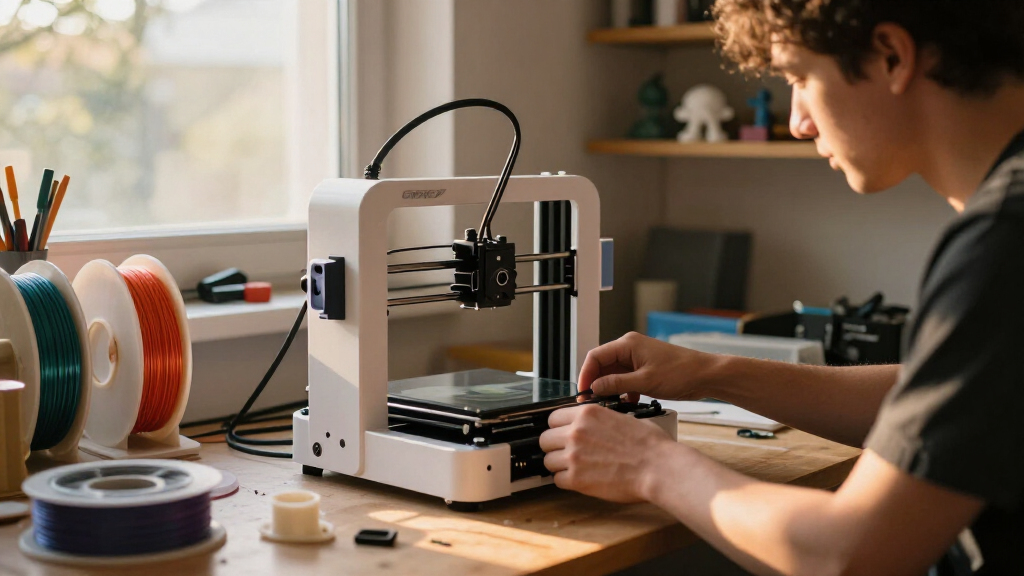
How We Picked
Our evaluation focused on performance, usability, build quality, maintenance requirements, and value for money. We prioritized printers that balance speed and accuracy with user-friendly features like auto-leveling and multi-material support. We also considered the versatility of each model in handling different filament types and sizes, along with the manufacturer’s support and community presence. The ranking emphasizes models that excel across these areas, with an eye toward different user needs and budgets, from beginners to advanced users.Factors to Consider When Choosing 3d Printers
Choosing the right 3D printer involves weighing several key factors beyond raw features. Understanding your primary use—whether prototyping, hobby projects, or full-scale manufacturing—guides many of your choices. Budgeting carefully ensures you don’t overpay for features you won’t use. Also, consider the learning curve, ongoing maintenance, and the availability of support and accessories. This guide highlights the most important considerations to help you make an informed decision that matches your skills and ambitions.Print Speed and Quality
Speed and quality are often linked but can be at odds. Faster printers like the FLASHFORGE AD5X prioritize high throughput, but this may sometimes compromise surface finish or detail. Conversely, printers designed for precision, such as those with fine layer resolution, may print more slowly. Consider your project needs: rapid prototyping calls for speed, while detailed miniatures demand higher resolution. Understanding this tradeoff helps you select a machine that aligns with your priorities without overpaying for unnecessary features.
Build Volume
The size of the build area determines what you can create. Larger volumes, like the 300mm cube on some models, enable bigger projects but often come with increased costs and potentially more complicated calibration. Smaller printers are more affordable and easier to manage, making them suitable for hobbyists or those with limited space. Think about your typical project size and whether you need the flexibility to print larger items or prefer a compact setup that fits easily into your workspace.
Material Compatibility
Not all 3D printers support the same filament types. Some models handle only PLA or PLA-based materials, while others support ABS, PETG, or even specialty filaments like flexible or composite materials. Multi-material support, including dual or multi-extruder setups, expands creative possibilities but adds complexity and cost. Consider what materials you plan to use regularly and whether the printer’s capabilities align with those needs, balancing versatility with ease of maintenance.
Ease of Use and Maintenance
Features like auto-leveling, touchscreens, and straightforward filament loading simplify operation, especially for newcomers. However, more advanced models may require ongoing calibration, cleaning, or part replacements that demand experience. Choosing a machine with good community support, clear documentation, and accessible spare parts can reduce downtime and frustration. Weigh your comfort level and willingness to troubleshoot against the complexity of the machine to pick an appropriate model.
Price and Support
While budget models might seem appealing, they often lack durability or support, leading to higher long-term costs. Investing in a slightly more expensive printer with a reputable manufacturer can pay off through better reliability, easier repairs, and active user communities. Consider warranty options, customer service reputation, and the availability of accessories or upgrade parts. Ultimately, your investment should match your intended use and the level of support you expect.
Frequently Asked Questions
How much should I expect to spend on a good 3D printer?
Entry-level 3D printers suitable for beginners typically cost between $200 and $500, offering basic features and decent print quality. Mid-range models, around $500 to $1,500, provide more reliability, larger build volumes, and support for multiple materials. Premium machines, often exceeding $1,500, focus on high precision, speed, and advanced features like multi-material support or industrial-grade components. Your budget should reflect your intended use, with higher upfront costs often translating into better durability and support.
Is auto-leveling essential for a 3D printer?
Auto-leveling significantly simplifies the setup process and helps ensure consistent print quality, especially for beginners. While manual leveling is possible, it often requires more time and skill to maintain accuracy across prints. For frequent use or larger projects, auto-leveling can reduce errors and improve reliability. However, it may add complexity and cost to the machine, so if you’re comfortable with manual calibration or on a tight budget, it might be a feature you can forego.
Can I print with flexible or composite filaments on any 3D printer?
Not all printers can handle flexible or composite filaments due to extruder design or hotend compatibility. Flexible filaments often require direct drive extruders for better control, while some composite materials need specialized nozzles or heated beds. If you plan to experiment with these materials, look for a printer with a compatible hotend, adjustable extrusion settings, and support for high-temperature printing. Otherwise, using incompatible equipment can lead to clogs, poor adhesion, or print failures.
How important is community support when choosing a 3D printer?
Community support can be invaluable, especially for troubleshooting, upgrades, and sharing tips. Well-established brands with active user forums and abundant tutorials make maintenance and customization easier. This support network can save time and frustration, particularly if you encounter calibration issues or need replacement parts. When evaluating a model, consider the size and activity of its user community as an indicator of long-term usability and help availability.
Should I prioritize speed or detail in my 3D printer?
Deciding between speed and detail depends on your primary projects. If rapid prototyping or production is your goal, prioritize higher speeds, even if it means sacrificing some resolution. For detailed miniatures, jewelry, or artistic pieces, a focus on high resolution and fine layers is more important, which often results in slower print times. Understanding your main use case allows you to choose a machine that balances these aspects appropriately, without paying for unnecessary high-speed features or ultra-fine resolution options you won’t utilize.
Conclusion
For most users, the Bambu Lab P1S offers the best overall experience, combining speed, reliability, and versatility suitable for hobbyists and professionals alike. If budget is a concern, the Adventurer 5M provides excellent value with auto-leveling and fast printing capabilities. High-end users or industrial operators should consider the FLASHFORGE Creator 5 Pro for its advanced features and robust build. Beginners will find the Adventurer 5M or similar models easier to start with, while those with specific needs, like multi-material or large-volume printing, should look at the P1S Combo or P2S options. Your ideal choice hinges on your project scope, budget, and experience level.
As an affiliate, we earn on qualifying purchases.Halloween Picks

Spirit Halloween 54-Inch Sitting Scarecrow Animatronic

Kalolary 11 ft Halloween Inflatable Archway Ghost House Tunnel

11.2-Foot Halloween Inflatable Pumpkin with LED Lights