
🔍 Read the full analysis: How The Scroll-Driven SVG Rotor Works In “TURBINE — WERK 9” on ThorstenMeyerAI.com

Get movie nights delivered free with Prime
- Fast, free delivery on millions of items
- Prime Video, Amazon Music and more included
- Member-only deals all year
TL;DR
TURBINE — WERK 9 is an interactive web project built around an SVG rotor whose movement is linked to a visitor’s scrolling. Its published description presents the interaction as a way to make navigating the page feel connected to the mechanics of an industrial space, but it does not explain the rotor’s code or technical implementation.
TURBINE — WERK 9 uses a scroll-driven SVG rotor to make movement through a web page feel linked to the mechanics of an industrial site, according to the original project overview published by ThorstenMeyerAI.com. The overview describes an interactive, field-guide-style experience in which a visitor’s scroll is the input that drives the visual interaction, though it does not disclose the implementation details behind the animation.
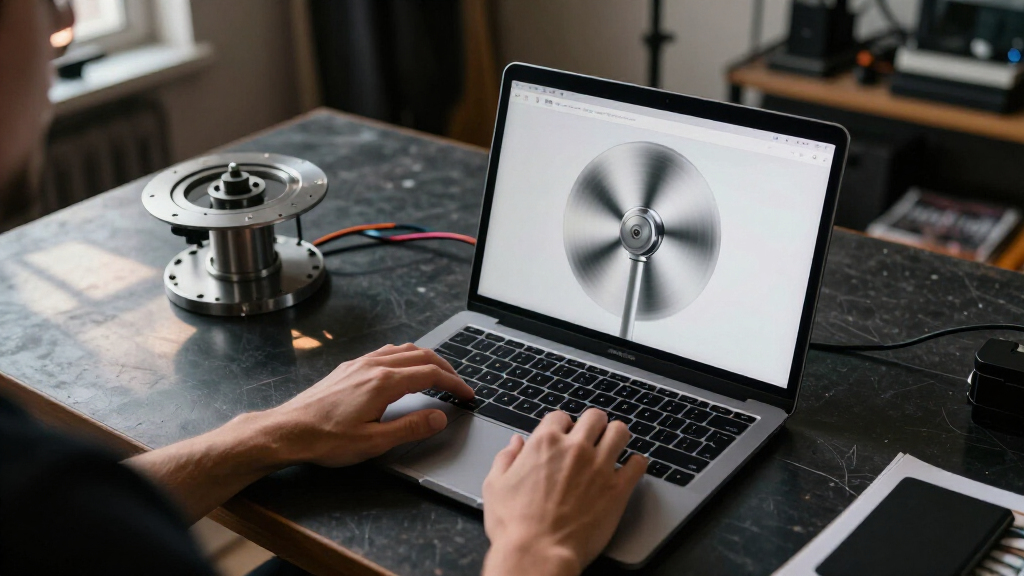
The project is framed as an interactive field guide, rather than a conventional brochure. Its central device is a rotor constructed from SVG vector paths, with its motion connected to scrolling. The stated design aim is to make page navigation feel like movement through a place and to give the visitor a reason to explore its contents.
The overview says the experience combines a browser, carefully constructed vector paths and a simple user input: scrolling. It describes the result as responsive while retaining the clarity of a designed object. That is a description of the intended experience, not a published performance measurement or a detailed account of how the interaction is programmed.
The project page points readers to a fuller design teardown and a live version. It says the case study covers how the team shaped the rotor’s movement, organized the visual system and translated a physical-feeling space into a browser experience. The available overview does not name individual designers or provide a technical specification for the rotor.
Scroll Becomes Part of the Rotor
The project’s design proposition is that scrolling can carry meaning beyond moving a visitor down a page. By tying that input to an industrial rotor graphic, the interface makes navigation part of the subject being presented. Rather than treating the visual as decoration separate from the content, the overview says the interaction connects the page’s movement to the mechanics of the place.
For people studying web interaction, the example offers a specific approach: use a familiar browser action to create a sense of participation, while keeping the central visual object legible. The field-guide framing also gives the exploration a stated purpose. Still, the published description does not establish how visitors responded, whether the design improved usability, or whether the effect performs consistently across devices. Those outcomes should not be inferred from the project’s presentation alone.
Popular right now

Bose QuietComfort Headphones (2nd Gen), Wireless Noise-Cancelling Over-Ear Headphones, Eucalyptus Green

Philips 4400 Series Fully Automatic Espresso Machine with LatteGo Milk System

Vitamix Propel Series 750 Professional-Grade Blender, 4 Programs, Black
As an affiliate, we earn on qualifying purchases.
A Field Guide Inside the Browser
The project’s pitch begins with a contrast between a web page that behaves like a brochure and one that feels like a machine a visitor can walk around. TURBINE — WERK 9 is presented as an answer to that design question: a browser-based experience that uses an industrial visual language and an interactive rotor to guide exploration.
The short overview provides only a broad account of the design. It identifies the rotor as an SVG, says its motion responds to scrolling and points to a case study for further discussion of the visual system and movement. It does not identify the physical site represented, explain the project’s production timeline or describe a sequence of earlier versions. The available information supports describing the design concept, but not a fuller history of its development.
“What if a web page behaved less like a brochure and more like a machine you could walk around?”
— ThorstenMeyerAI.com project overview
Technical Details Still Unpublished
The published overview does not explain how scroll position controls rotor movement, whether the animation is continuous or divided into stages, or which technologies beyond SVG are used. It also does not provide source code, accessibility details, device testing results or measures of performance. The description calls the experience responsive, but supplies no benchmark or test data to clarify what that means in practice.
It is also unclear what specific industrial location or machinery informs the design, and whether the rotor represents a particular physical object. The overview refers readers to a fuller teardown and live room, but those materials are not described in detail here. No visitor figures, usability findings or other evidence of the project’s impact are included.
The Teardown Holds More Detail
The next step for readers seeking implementation specifics is to consult the full design teardown and visit the live project linked from the overview. Those materials may clarify how the rotor’s movement was shaped and how the wider visual system was assembled. Until technical documentation or further reporting is available, the confirmed account remains limited to the project’s stated design: an SVG rotor whose motion is tied to scrolling in a browser-based field guide.
Source: ThorstenMeyerAI.com
Key Questions
What is TURBINE — WERK 9?
It is an interactive browser experience described as a field guide, using an industrial visual style and a scroll-driven SVG rotor.
What makes the rotor move?
The project overview says its movement is connected to the visitor’s scrolling. It does not publish the underlying code or explain the precise control method.
Is the rotor based on a real turbine?
The overview describes a physical-feeling industrial space, but does not identify a specific machine or confirm that the SVG represents a particular real-world turbine.
Where can readers learn more?
ThorstenMeyerAI.com points readers to a full design teardown and a live version of the project. The overview says the teardown discusses the rotor’s motion and the visual system.
Source: ThorstenMeyerAI.com