
🔍 Read the full analysis: How To Choose Between A Mac Mini, Mac Studio, GPU PC And Cloud API For AI on ThorstenMeyerAI.com

Get movie nights delivered free with Prime
- Fast, free delivery on millions of items
- Prime Video, Amazon Music and more included
- Member-only deals all year
TL;DR
A November 19 comparison from ThorstenMeyerAI.com lays out how to choose among a Mac mini, Mac Studio, Nvidia GPU PC and cloud API for AI workloads. Its central distinction is the job: an always-on agent using a cloud model can run on a modest machine, while local models depend on memory, and Nvidia hardware has broader support in CUDA-first tools.
ThorstenMeyerAI.com published a guide on November 19 comparing the Mac mini, Mac Studio, Nvidia GPU PCs and cloud APIs for AI work, separating always-on agents from local model inference, fine-tuning and larger-scale training. The comparison says the right choice depends mainly on whether a model must run locally, how much memory it needs and whether the software relies on Nvidia’s CUDA platform.
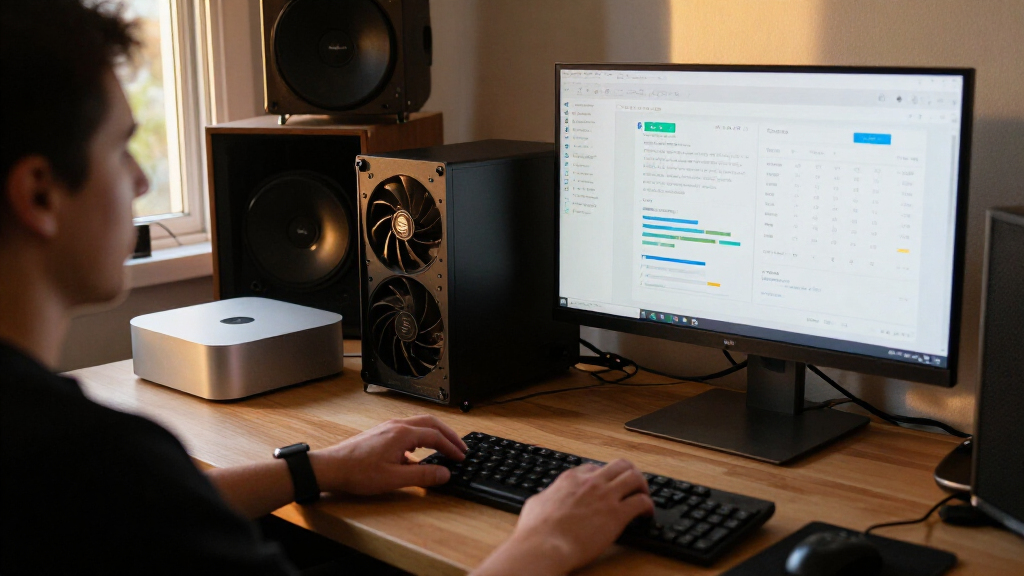
For an agent that sends requests to a cloud model, the computer chiefly runs the agent’s loop, files and tools; it does not need to hold the model’s weights. The article says this can make a small Mac mini suitable for continuous operation. Apple lists the base Mac mini’s idle draw at 4 watts, though that figure does not represent power use while running a workload.
For local models on a Mac mini, available memory is a central constraint. The guide says the Mac mini tops out at 64 GB of unified memory. Mac Studio configurations range up to 512 GB with M5 Ultra, while Nvidia’s GeForce RTX 5090 has 32 GB of graphics memory. Those capacities are not directly interchangeable: a model that exceeds a graphics card’s memory may need to be split between the GPU and system memory, which the guide says can affect performance.
Software support can tip the decision toward an Nvidia PC. The article describes CUDA as the priority platform for many AI tools and notes that vLLM ships CUDA binaries, while Apple silicon support is available through the community-maintained vLLM-Metal plugin. It also lists Mac-compatible options, including MLX, LM Studio, Ollama and llama.cpp, and says Apple’s MLX tools support LoRA and QLoRA fine-tuning.
Decision guide · local AI hardware
Which machine fits which AI job?
Five common jobs, one after another, with the machine that fits each best on today’s specifications.
First question: does the model run in the cloud, or on your own machine? If it runs in the cloud, the box only keeps the agent going.
The job
- 1An agent that calls cloud models, running around the clock
→ Mac mini - 2A private assistant with a small open model
→ Mac mini - 3Huge open models with hundreds of billions of parameters
→ Mac Studio - 4Tools built for Nvidia’s CUDA, training, serving many users
→ GPU PC - 5The strongest models and the hardest tasks
→ Cloud API
The machine
Mac mini
up to 64 GB · 4 W at idle
Mac Studio
up to 512 GB · 385 W at most
GPU PC
32 GB on the card · 575 W card
Cloud API
strongest models · per-token bills
Sources: Apple, Mac mini and Mac Studio technical specifications and power pages; Nvidia, GeForce RTX 5090 specifications; all retrieved November 19, 2026. Matching of jobs to machines: our reading, not a buying recommendation.
Graphic: Powered by Thorsten Meyer AI
Match Hardware to the Workload
The comparison matters because “running AI” can mean very different things: keeping an agent available, generating responses from a local model, adapting a model with fine-tuning, or serving requests to multiple users. Buying for the wrong task can leave a system either underpowered or more expensive and power-hungry than needed.
For local inference, the article’s rule of thumb is that a model at 4-bit precision needs about 0.5 GB per billion parameters for weights alone, before overhead and conversation context. On that estimate, a 70-billion-parameter model needs about 35 GB for weights, while a 671-billion-parameter model needs about 336 GB. These are arithmetic estimates, not guarantees of usable performance; actual requirements depend on model format, runtime and workload.
The trade-off is not simply Mac versus PC. A Mac Studio offers larger unified-memory configurations, while an RTX 5090 PC offers a dedicated GPU and broader CUDA-first compatibility. Neither specification alone establishes which machine will be faster for a particular model. A cloud API avoids buying hardware for the model itself, but requires access to an online service and cannot run models that are unavailable for download.
Popular right now

Vitamix Propel Series 510 Professional-Grade Blender, Black

De'Longhi Classic Signature Espresso Machine with Adjustable Milk Frother

KitchenAid Classic Series 4.5-Quart Tilt-Head Stand Mixer, Onyx Black
As an affiliate, we earn on qualifying purchases.
Memory, Software and Power Limits
The guide follows an earlier ThorstenMeyerAI.com article about what models can fit in a Mac mini’s 16 GB to 64 GB of memory. It says its specifications were drawn from Apple and Nvidia product pages and AI-tool documentation, checked on November 19, 2026. The comparison is the outlet’s interpretation of those materials, not a benchmark test or a buying recommendation.
Apple’s specifications give the M5 Ultra Mac Studio memory bandwidth of 1.2 TB/s; the M5 Max figures are 460 or 614 GB/s, depending on configuration. The source says Nvidia’s RTX 5090 product page lists a 512-bit memory interface but does not provide a directly comparable bandwidth figure. Neither company, according to the article, publishes a token-speed comparison between these systems.
Power and setup also differ. Apple lists maximum whole-system power of 385 watts for the M5 Ultra Mac Studio. Nvidia rates the RTX 5090 card at 575 watts and recommends a 1,000-watt system power supply. The article says linking Macs for clustered workloads is possible but requires Thunderbolt 5 connections between each pair and a macOS recovery setting; the base M6 Mac mini uses Thunderbolt 4.
“The CPU and GPU have direct access to the same memory pool.”
— Apple, as quoted in the ThorstenMeyerAI.com article
Performance Depends on the Model
The article does not report side-by-side tests of the Mac Studio and RTX 5090, and the cited manufacturers do not publish a token-speed comparison between them. Actual speed remains workload-dependent, including whether the model fits in GPU memory and which software runtime is used.
Price comparisons are also incomplete. The article lists U.S. Apple prices checked November 19, 2026: Mac Studio configurations start at $2,499 with M5 Max and $5,499 with M5 Ultra. Nvidia’s product page gives no RTX 5090 price, and the cost of a PC depends on its other components. The source does not give a like-for-like total system comparison.
Other limits depend on the task. PyTorch’s Mac backend does not support float64 operations on the GPU, according to the article; computations that genuinely require double precision must use the CPU. The source also says large-model training is not a desktop job on any of the compared machines, but does not define a model-size threshold or compare specific training workloads.
Test the Intended AI Workload
The practical next step is to identify the model, runtime and task before choosing hardware. For a cloud-backed agent, check whether the local machine only needs to run the agent and its tools. For local inference or fine-tuning, compare the model’s memory needs with the system’s available memory and confirm that the target software supports the chosen platform.
Readers considering a GPU PC should price the complete build and confirm CUDA compatibility for the tools they plan to use. Those weighing a Mac Studio against an Nvidia system should test their own models where possible: published specifications do not settle comparative token speed or total cost. The guide gives no date for a follow-up benchmark or additional comparison.
Key Questions
Is a Mac mini enough to run an AI agent?
It can be, if the agent calls a cloud model and the Mac only runs the agent loop, files and tools. A Mac mini’s suitability for a local model depends on the model’s memory requirements; the guide says configurations top out at 64 GB.
When does a Mac Studio make sense for local AI?
A Mac Studio may suit workloads that benefit from large unified-memory configurations. The guide lists up to 512 GB with M5 Ultra, but capacity alone does not establish performance for every model or task.
Why choose an Nvidia GPU PC?
The guide says many AI tools prioritize Nvidia’s CUDA platform, and the RTX 5090 has 32 GB of dedicated graphics memory. The total PC price and performance depend on its components and the workload.
Can a Mac train or fine-tune AI models?
Yes, for some workloads. The article says Apple’s MLX tools support LoRA and QLoRA, and PyTorch supports GPU training on macOS. It also lists limits, including the Mac GPU backend’s lack of float64 support.
Can these desktop systems train the largest models?
The article says large-model training is not a desktop job on any of the options compared. It does not specify a cutoff size; the cloud remains an option for leading closed models that cannot be downloaded, according to the source.
Source: ThorstenMeyerAI.com